Spendflo's Flo AI leverages advanced AI-powered Smart Scan technology to automatically extract critical metadata from your contracts and invoices. This automated process significantly reduces manual data entry and ensures your agreement tracking is both fast and accurate. For a broader overview of agreement tracking, see about agreements and agreement management.
How to Review Extracted Contract Details
To verify and review the contract details extracted by Flo AI, follow these steps:
Navigate to the Spendflo dashboard. Ensure you are on the main interface where you can access the navigation sidebar.
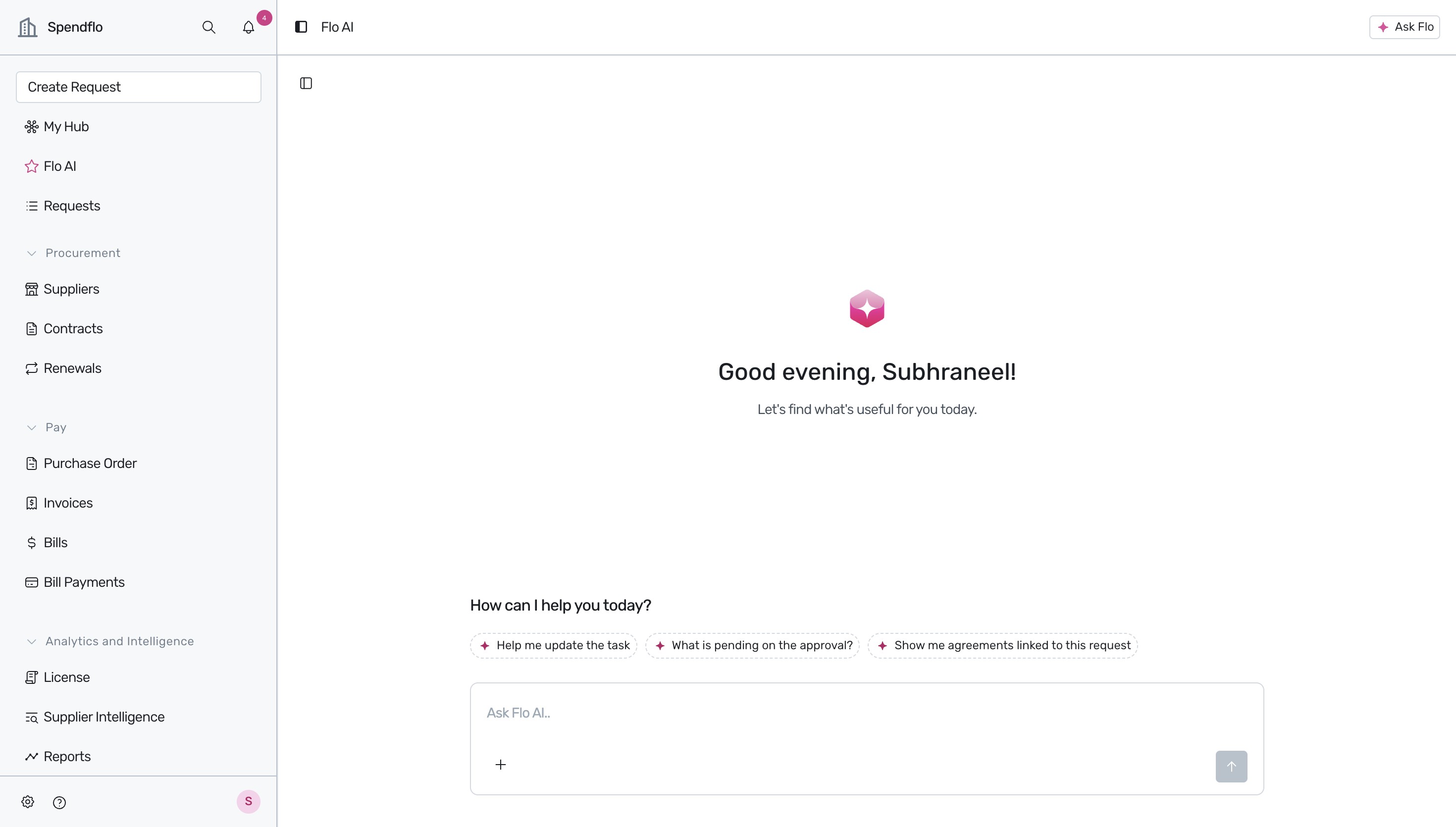
Click on the Contracts option in the left sidebar navigation menu to open the list of agreements and contracts.
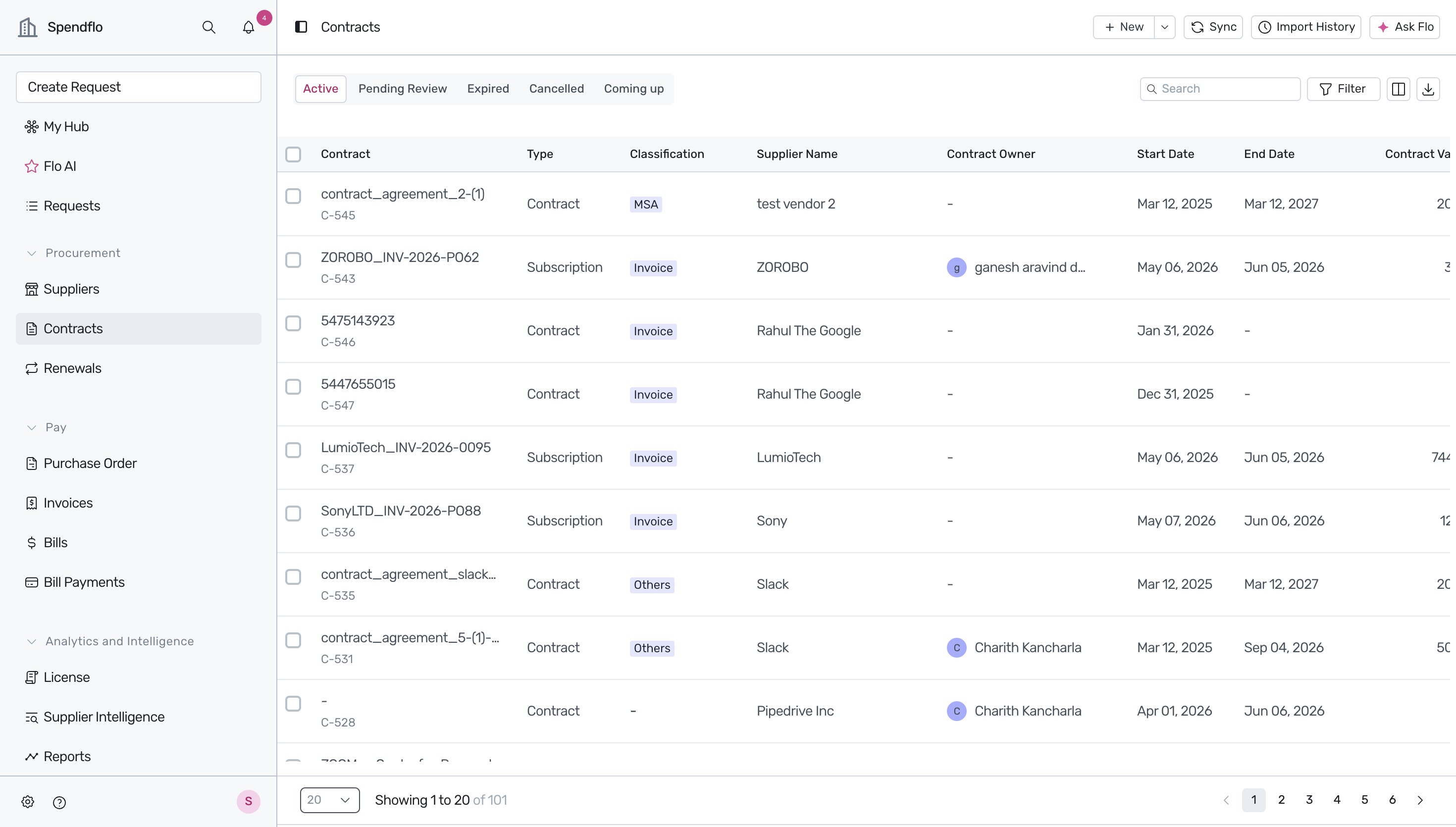
From the contracts list, click on a specific contract or invoice to review it. For example, select LumioTech_INV-2026-0095.
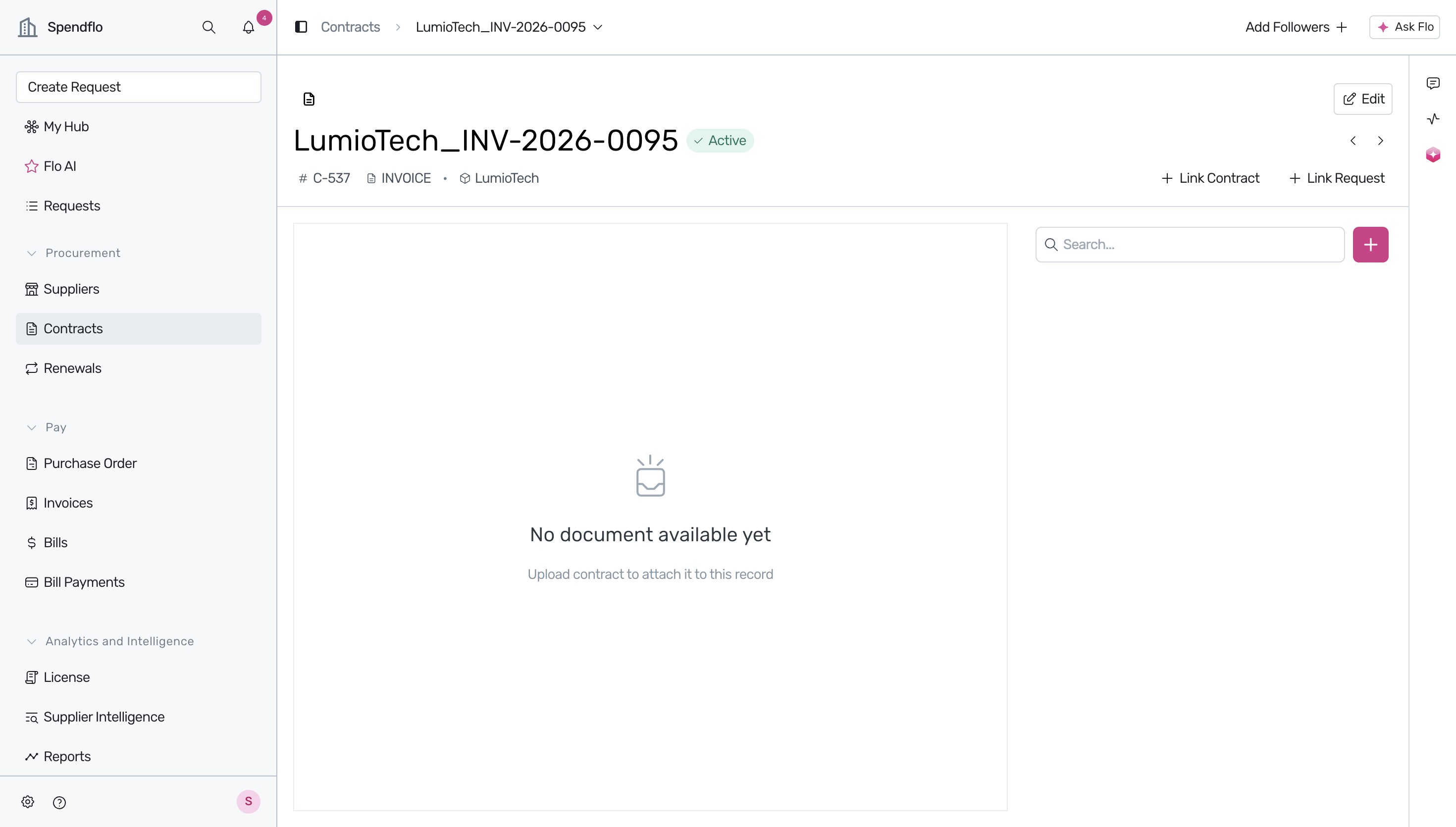
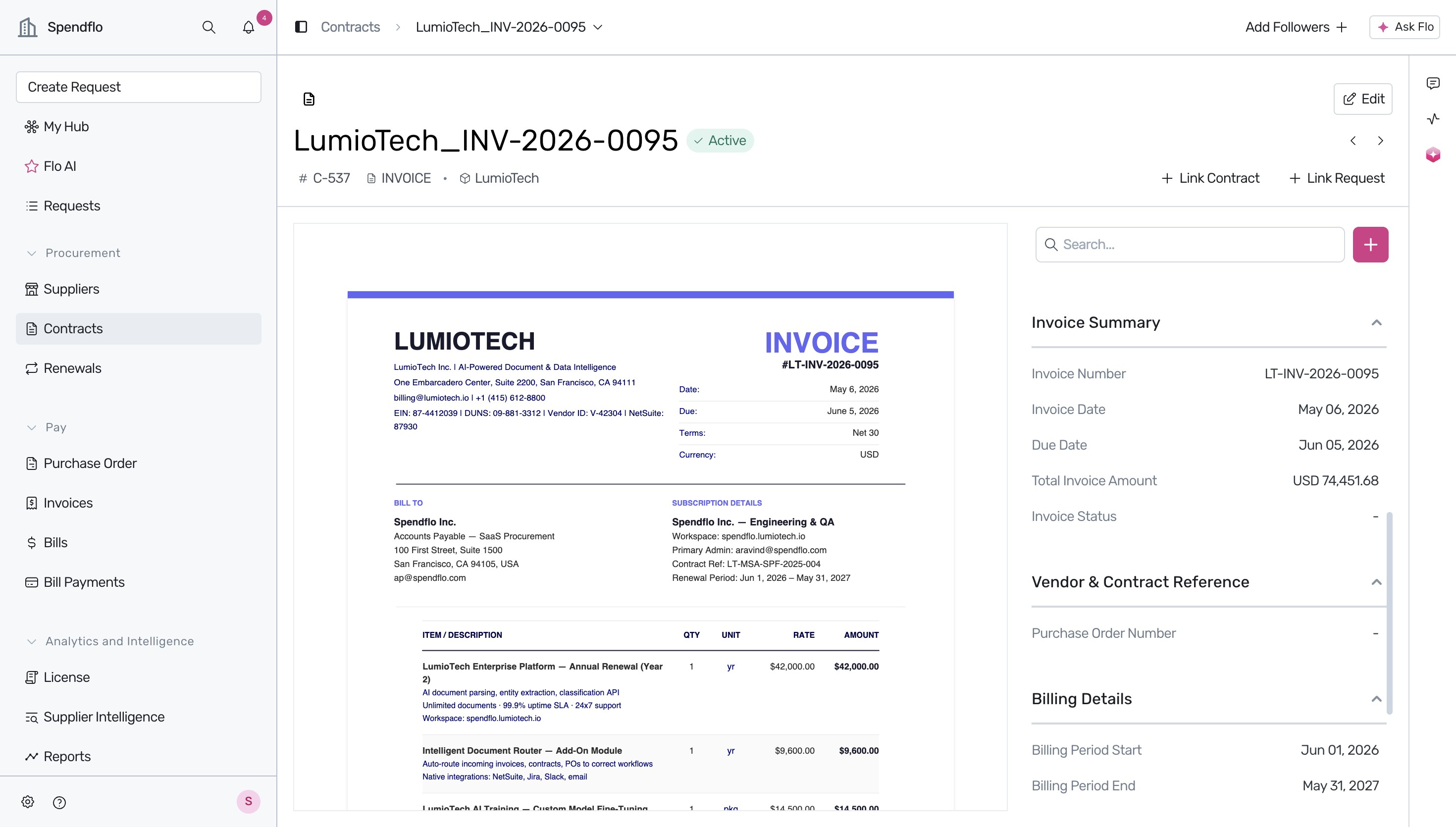
Once the document details page loads, you will see the document viewer on the left. On the right-hand side, Flo AI automatically displays the extracted metadata, such as the Agreement Overview and Invoice Summary, allowing you to verify the accuracy of the AI's extraction against the original document.
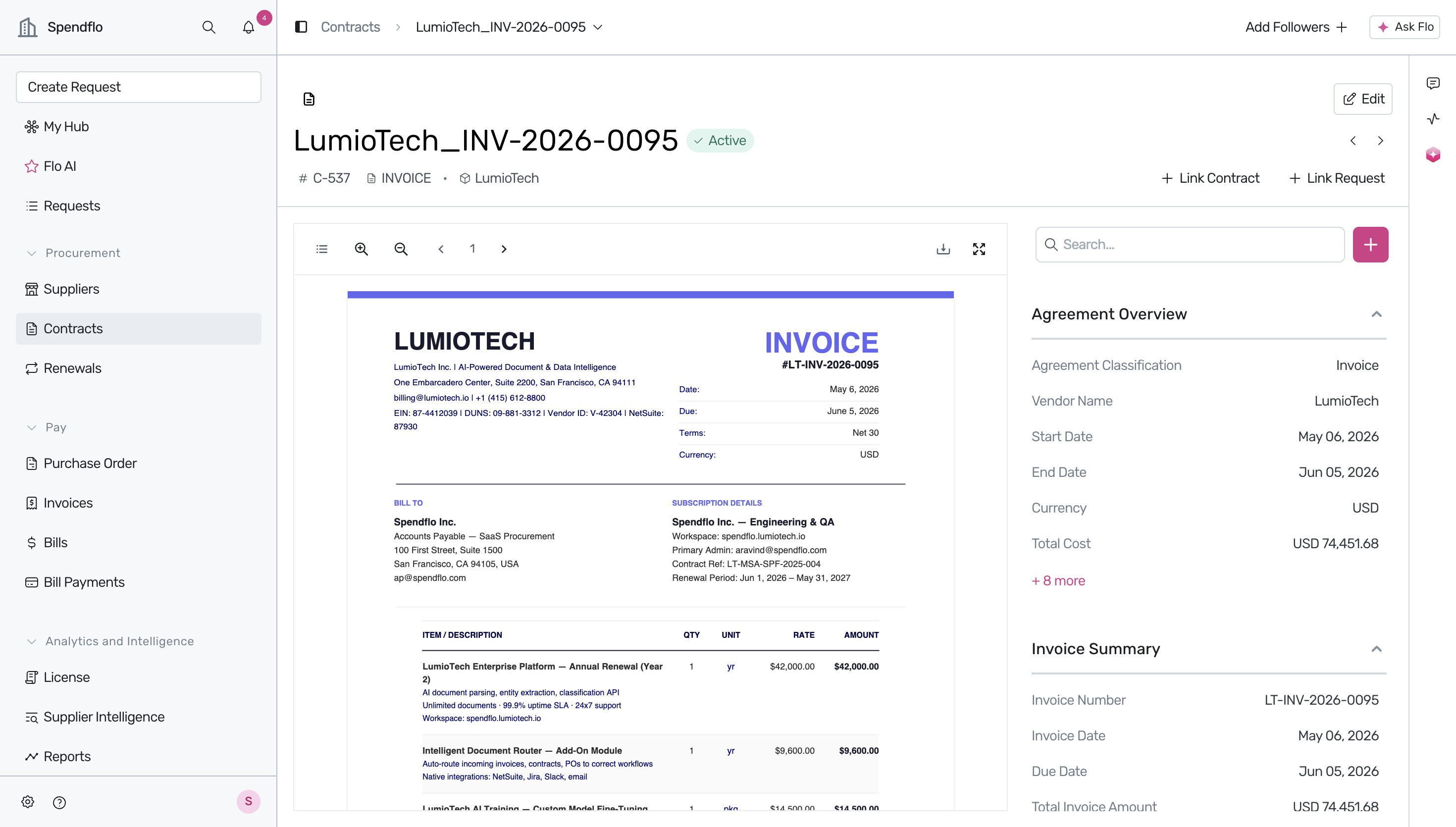
To view additional metadata extracted by Flo AI, click on the + 8 more button under the Agreement Overview section. This expands the view to show fields like Monthly Cost, Agreement Owner, Payment Terms, and more.
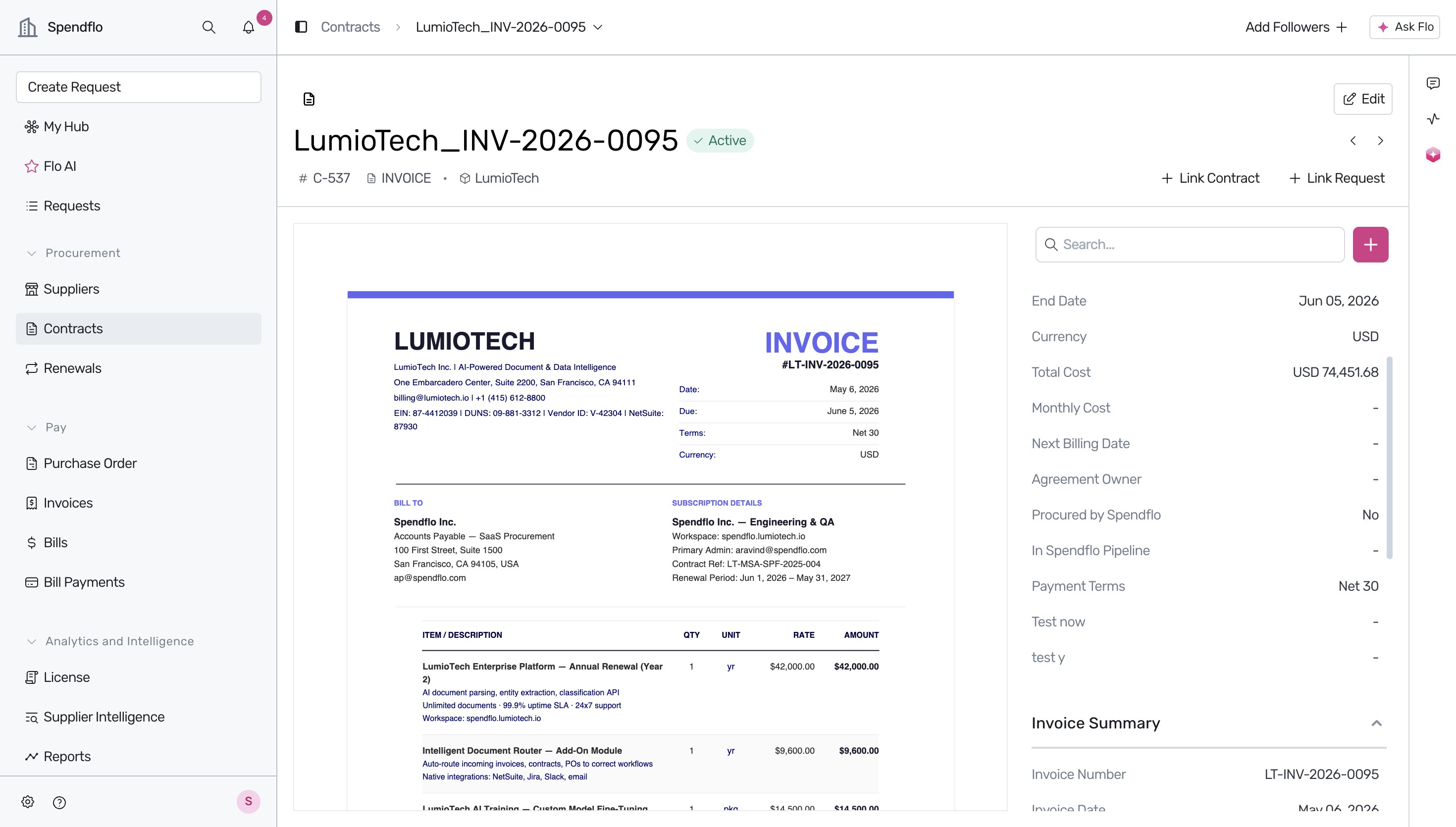
Scroll down the right-hand sidebar to review further details extracted by Flo AI, including the Invoice Summary, Vendor & Contract Reference, and Billing Details (such as Billing Period Start and End dates).
What Metadata Does Flo AI Extract?
Flo AI automatically scans and identifies key details within your documents, including:
- Agreement Overview: General details such as the agreement owner, monthly cost, and payment terms. To understand how these fields display in your main dashboard, see understanding the agreements listing table.
- Invoice Summary: Key financial metrics and payment details.
- Billing Details: Specific timelines including the billing period start and end dates.
Next Steps
Now that you know how to review extracted metadata, explore our guide on navigating the contracts page to manage all your active agreements effectively.
Was this article helpful?
That’s Great!
Thank you for your feedback
Sorry! We couldn't be helpful
Thank you for your feedback
Feedback sent
We appreciate your effort and will try to fix the article