Who it's for: Approvers - finance, legal, security, IT, department heads, anyone in an approval chain.
What you'll learn: What you'll see when a request lands on your plate, the actions available to you, and how to keep things moving.
When a request needs your sign-off, you'll get a notification (in-app, email, or Slack — depending on your settings) and the request will appear in My Hub under Pending My Approval.
To review a request
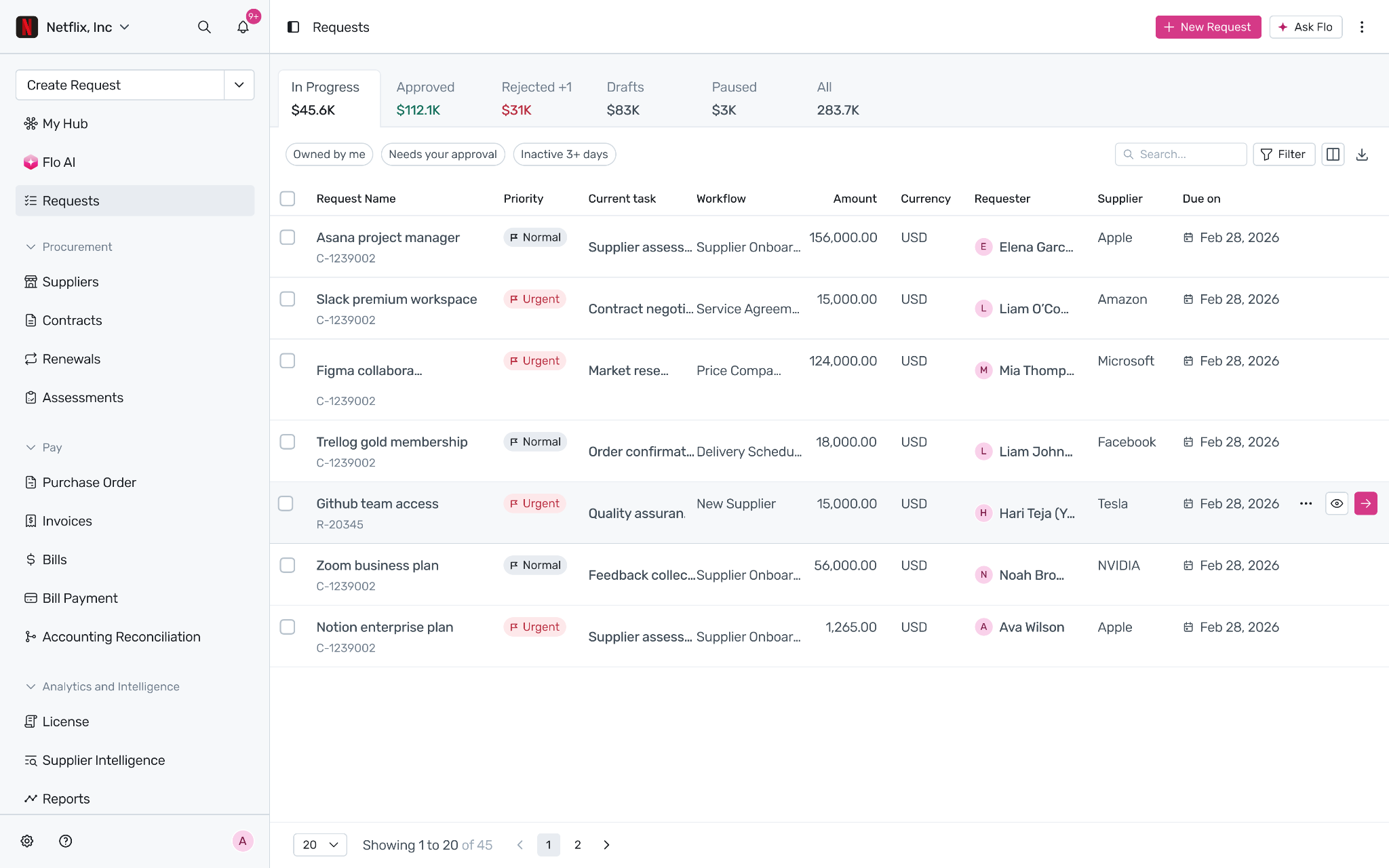
Open the notification or click the request from My Hub.
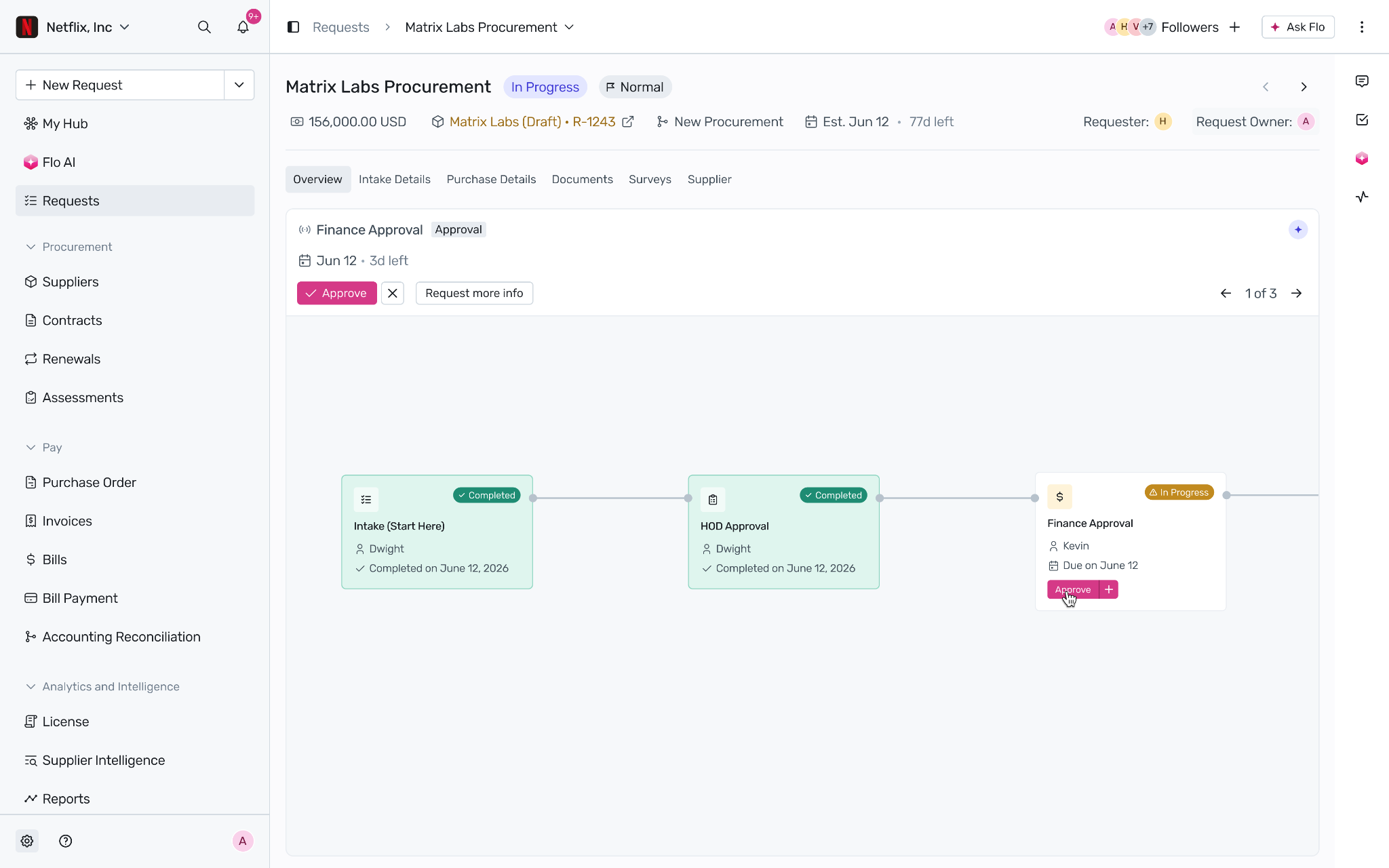
The detail page opens with the Overview tab. You'll see the request name, requester, amount, due date, and the full approval workflow visualised — who's approved, who's next, and where you sit.
Click your approval task to open the approval modal.
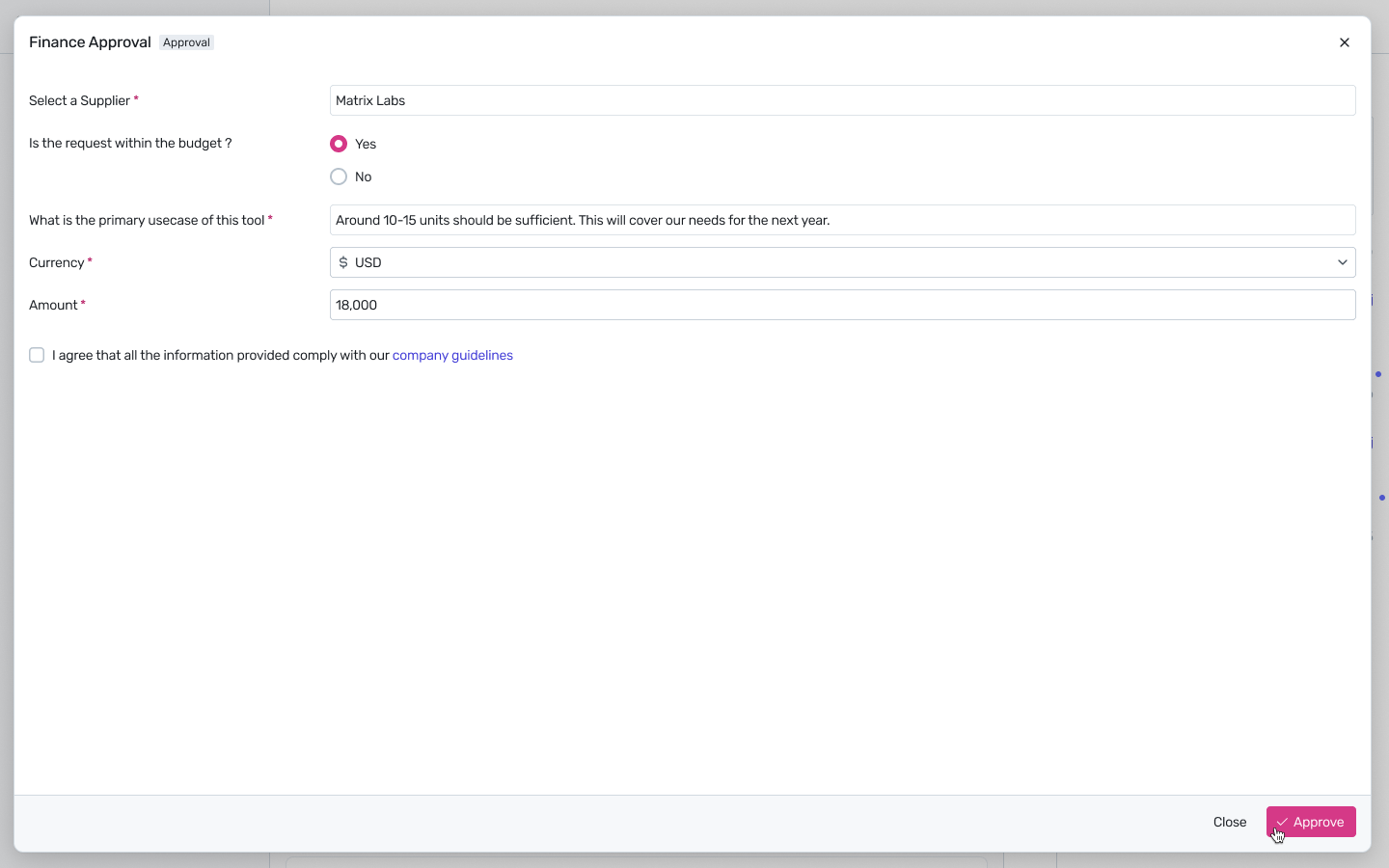
Inside the approval modal
Confirm the supplier, the budget question, the requester's primary use case, and the agreement that the request complies with company guidelines. Then take one of three actions.
Approve — the request moves to the next stage.
Request more info — the request returns to the requester with your questions; nothing else changes in the workflow.
Reject — the request is sent back; you'll be asked for a reason.
Tip: If you only want to push back on one part of the request — "approve everything except the contract term" — use task-level rejection. Comment on the specific task instead of rejecting the whole request, and the other approvers can keep moving.
Delegating
Going on PTO? Set a delegate from your profile settings. Approvals route to your delegate automatically until you return.
Was this article helpful?
That’s Great!
Thank you for your feedback
Sorry! We couldn't be helpful
Thank you for your feedback
Feedback sent
We appreciate your effort and will try to fix the article