Overview
Spendflo's Flo AI allows you to initiate procurement requests effortlessly using natural language. By describing your procurement needs in a conversational interface, Flo AI automatically identifies the correct workflow, pre-fills necessary data, and guides you through the intake process, saving you time and ensuring accuracy.
Here are the steps to raise a request using Flo AI:
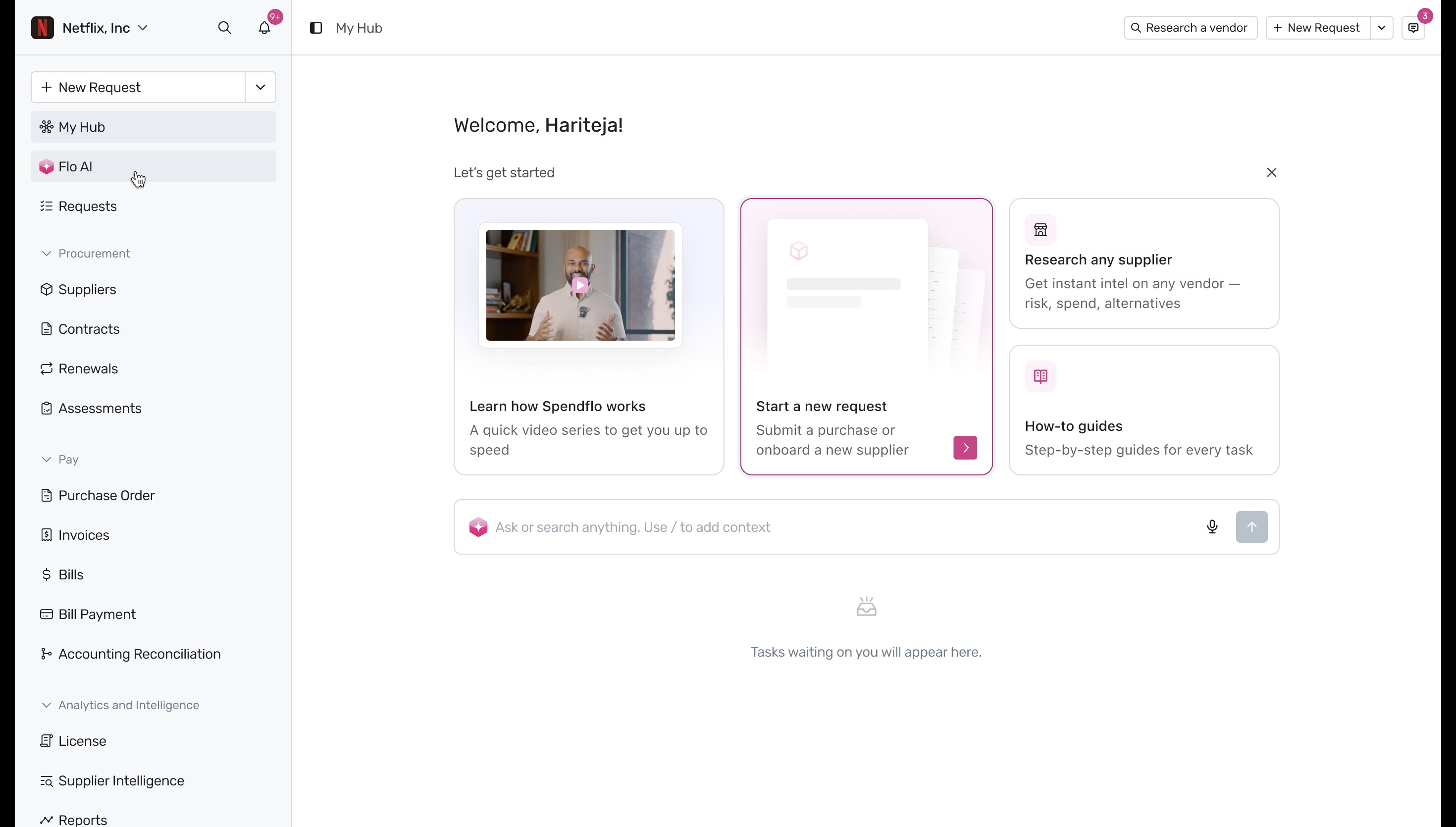
1. To begin a new procurement request using AI assistance, navigate to the left-hand menu and click on Flo AI under the 'My Hub' section.
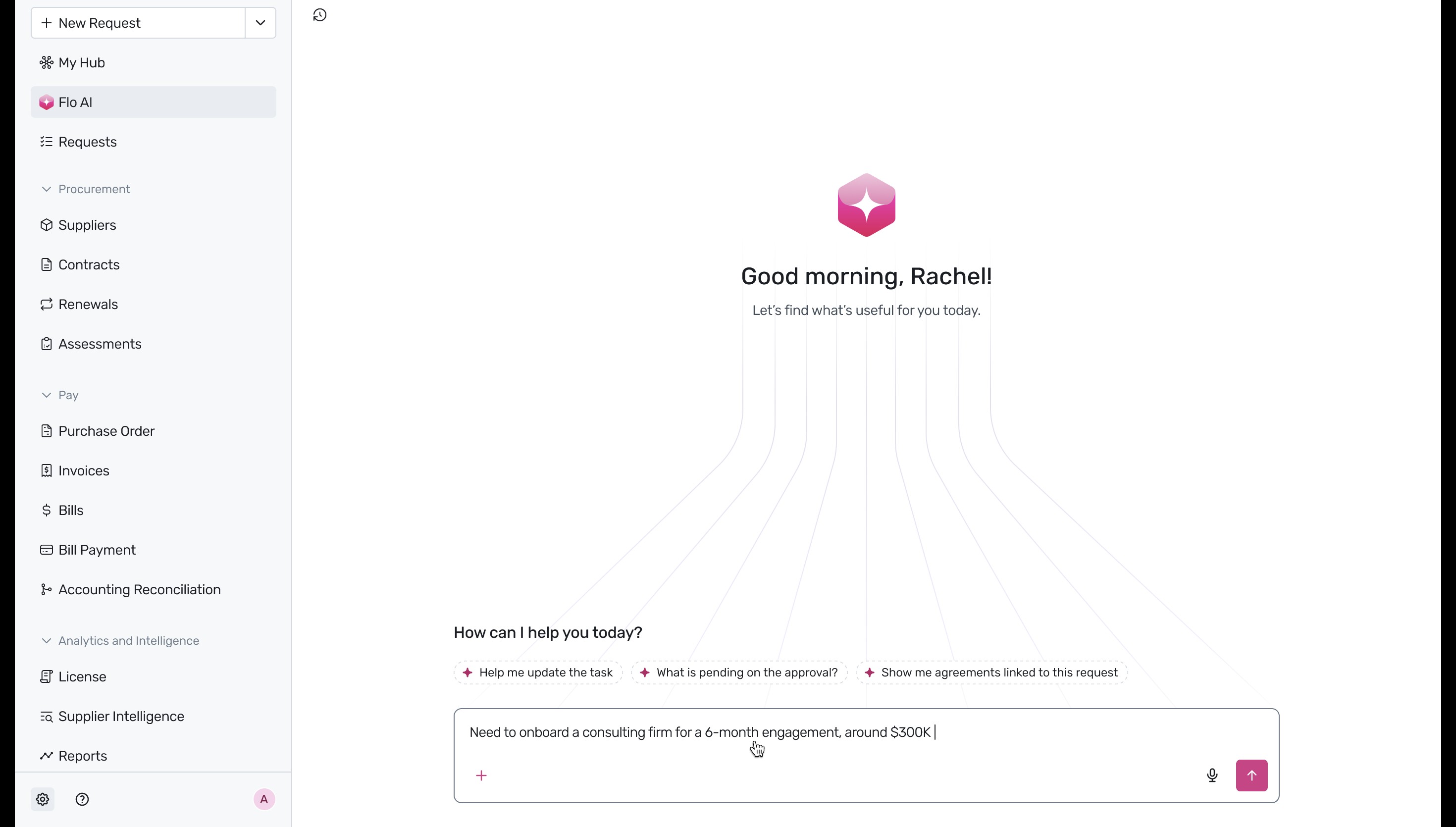
2. In the Flo AI chat interface, describe your procurement needs in natural language. For example, you can type 'Need to onboard a consulting firm for a 6-month engagement, around $300K' into the text box at the bottom and hit enter or click the send icon.
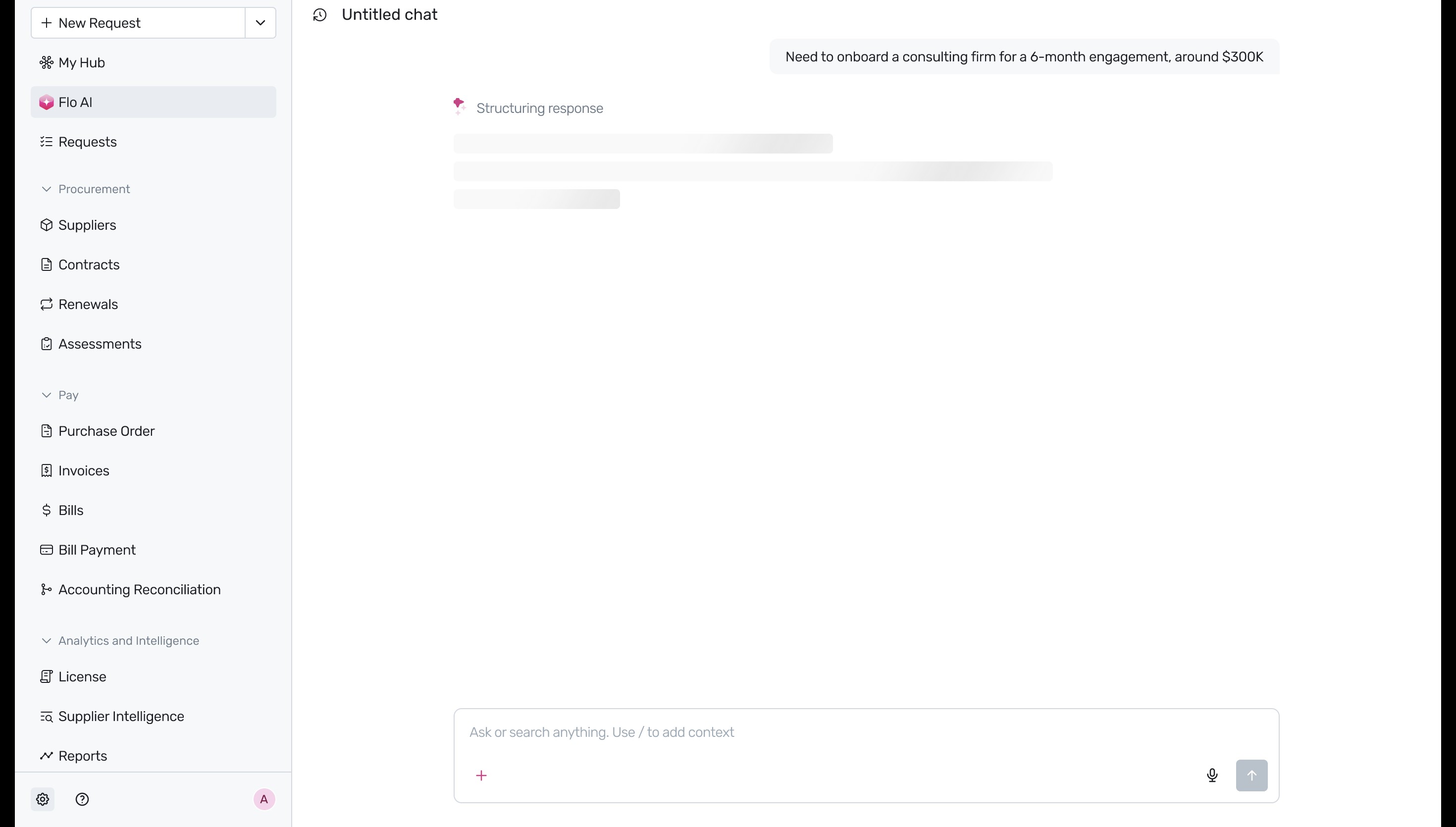
3. The AI will begin processing your prompt and structuring a response based on the information provided.
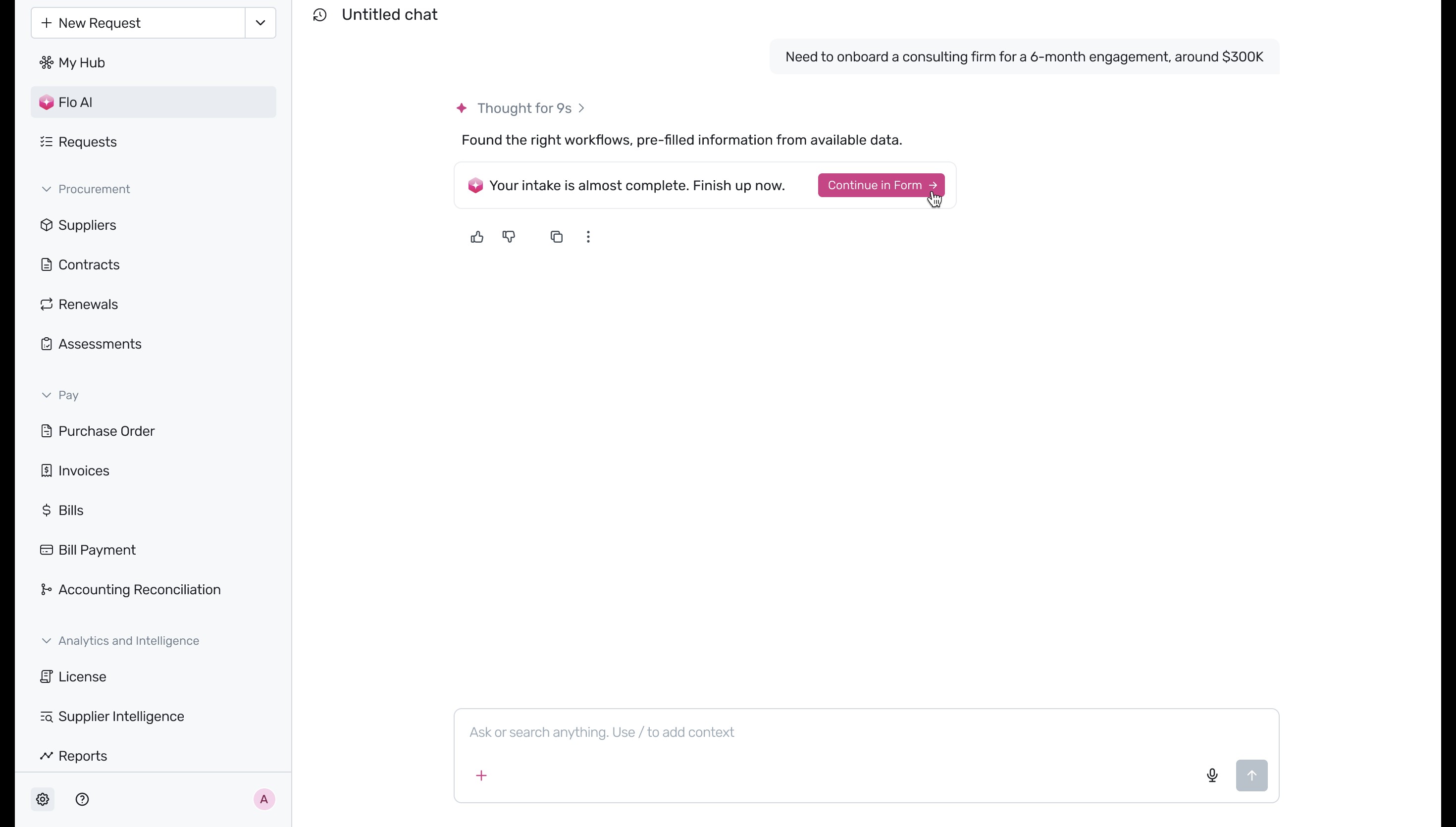
4. Once the AI has identified the correct workflow and pre-filled the available data, it will prompt you to finish the intake process. Click the Continue in Form ->button to proceed.
5. You will be taken to the Vendor Details form, where some fields, like the Request Name, will already be populated. To assign a vendor, click on the Select a Supplierdropdown and begin typing the vendor's name.
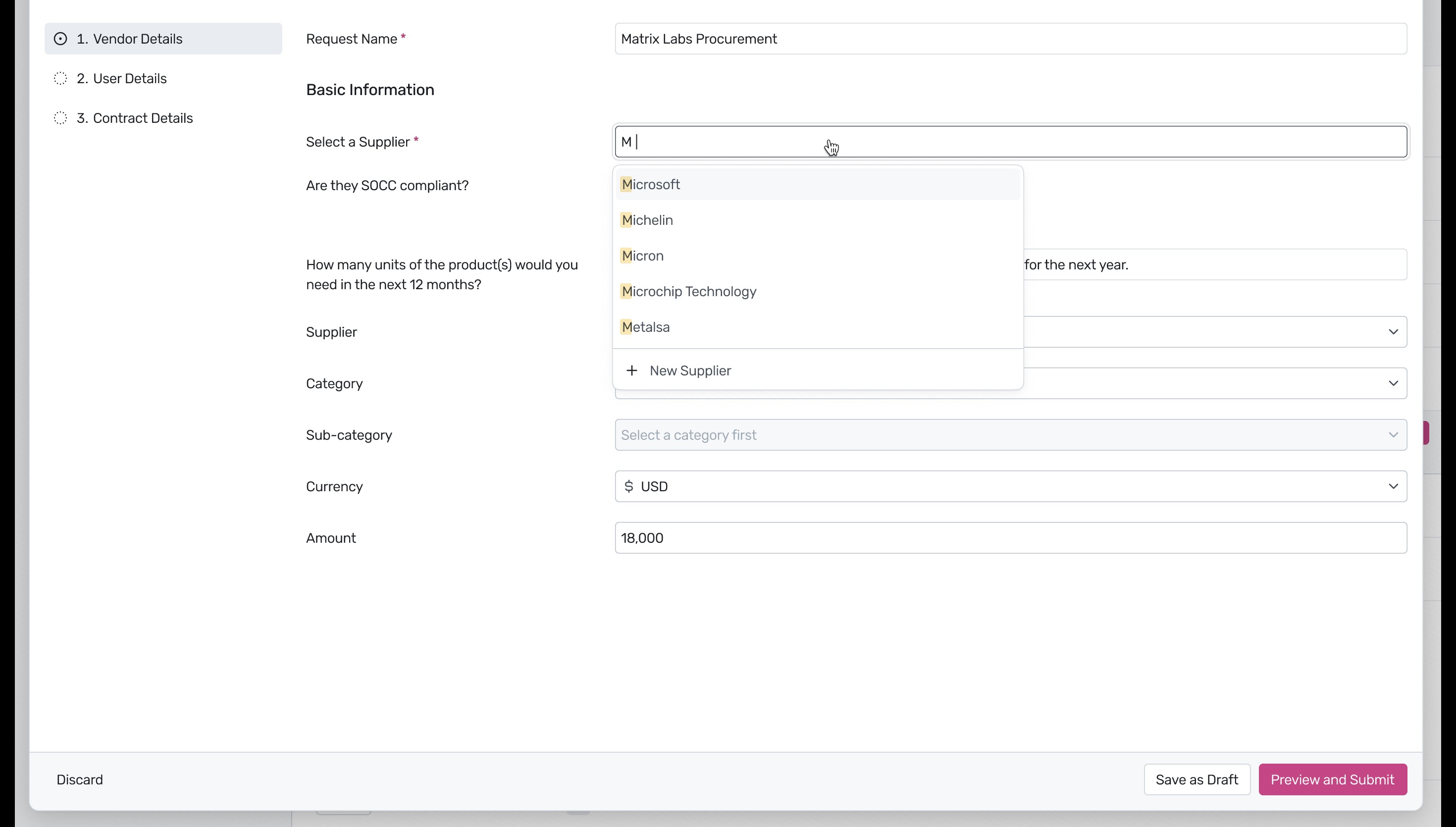
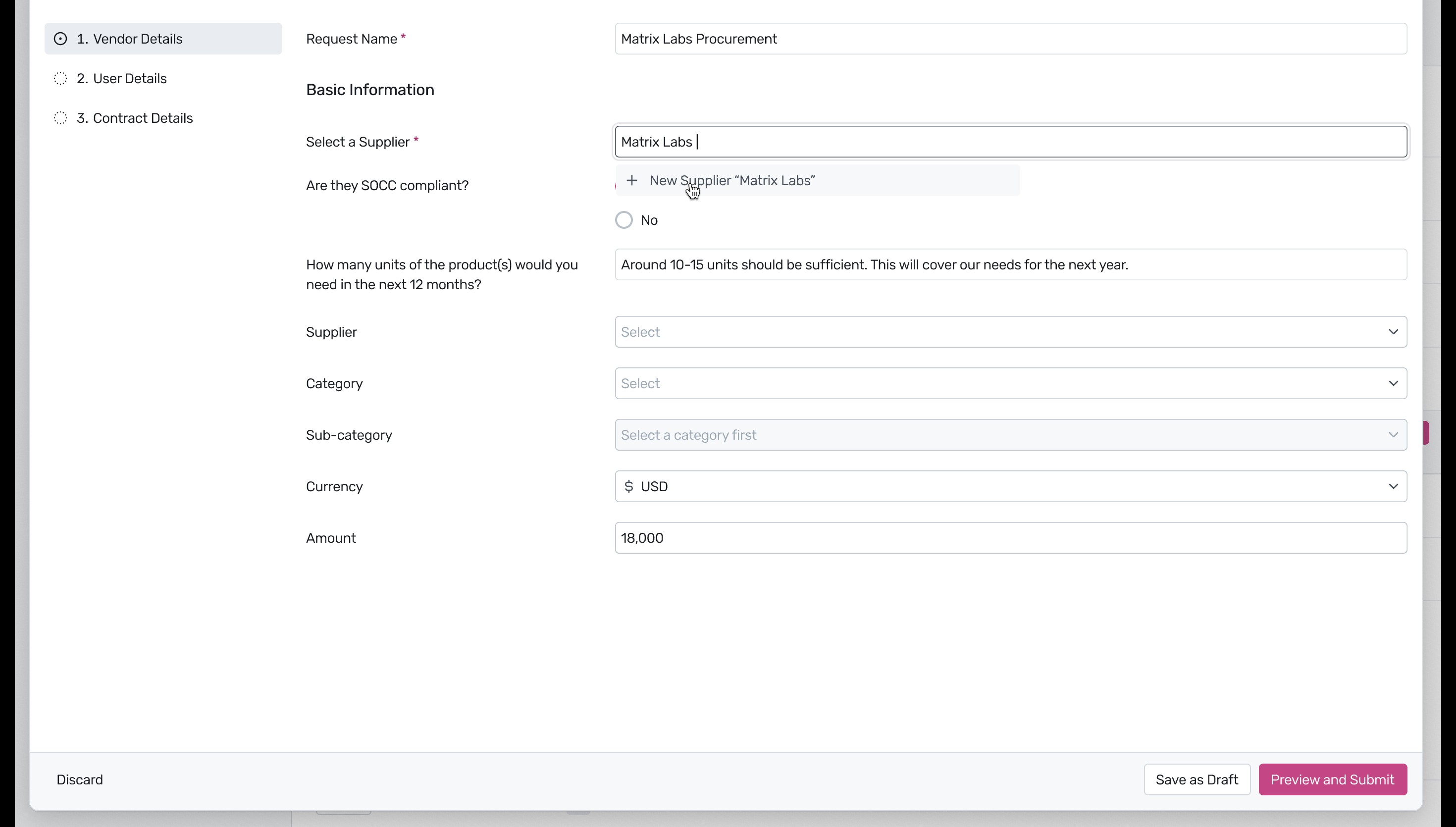
6. If the vendor does not exist in your current database, type their full name and select the + New Supplieroption that appears in the dropdown menu.
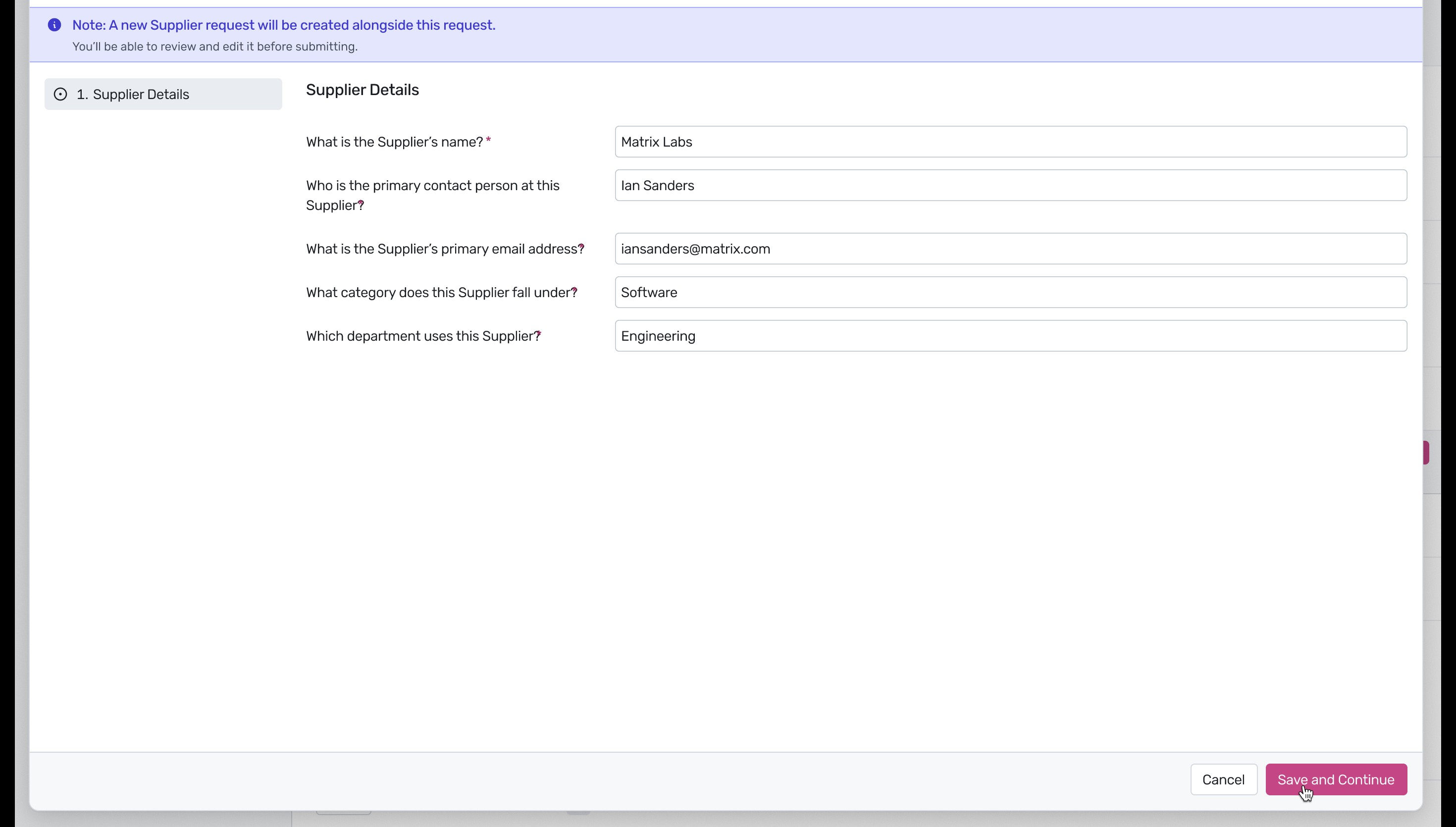
7. A new 'Supplier Details' section will appear. Fill out the necessary information for the new vendor, including the primary contact person, email address, category, and department. Once completed, click Save and Continue.
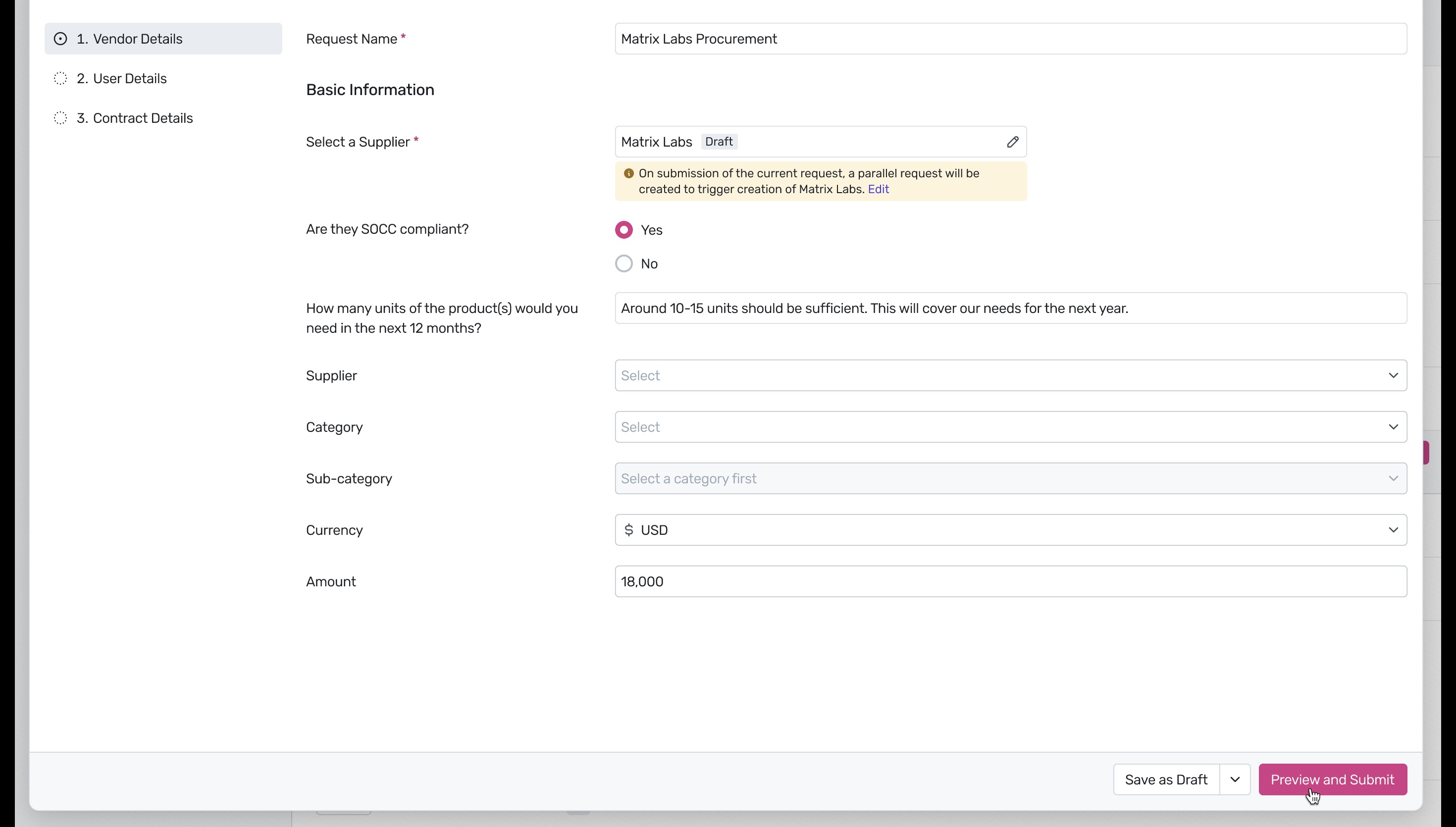
8. You will be returned to the main form, where the newly added supplier will be listed as a 'Draft'. A note will indicate that a parallel request will be created to formally onboard this new supplier. Review the remaining details and click Preview and Submitat the bottom right.
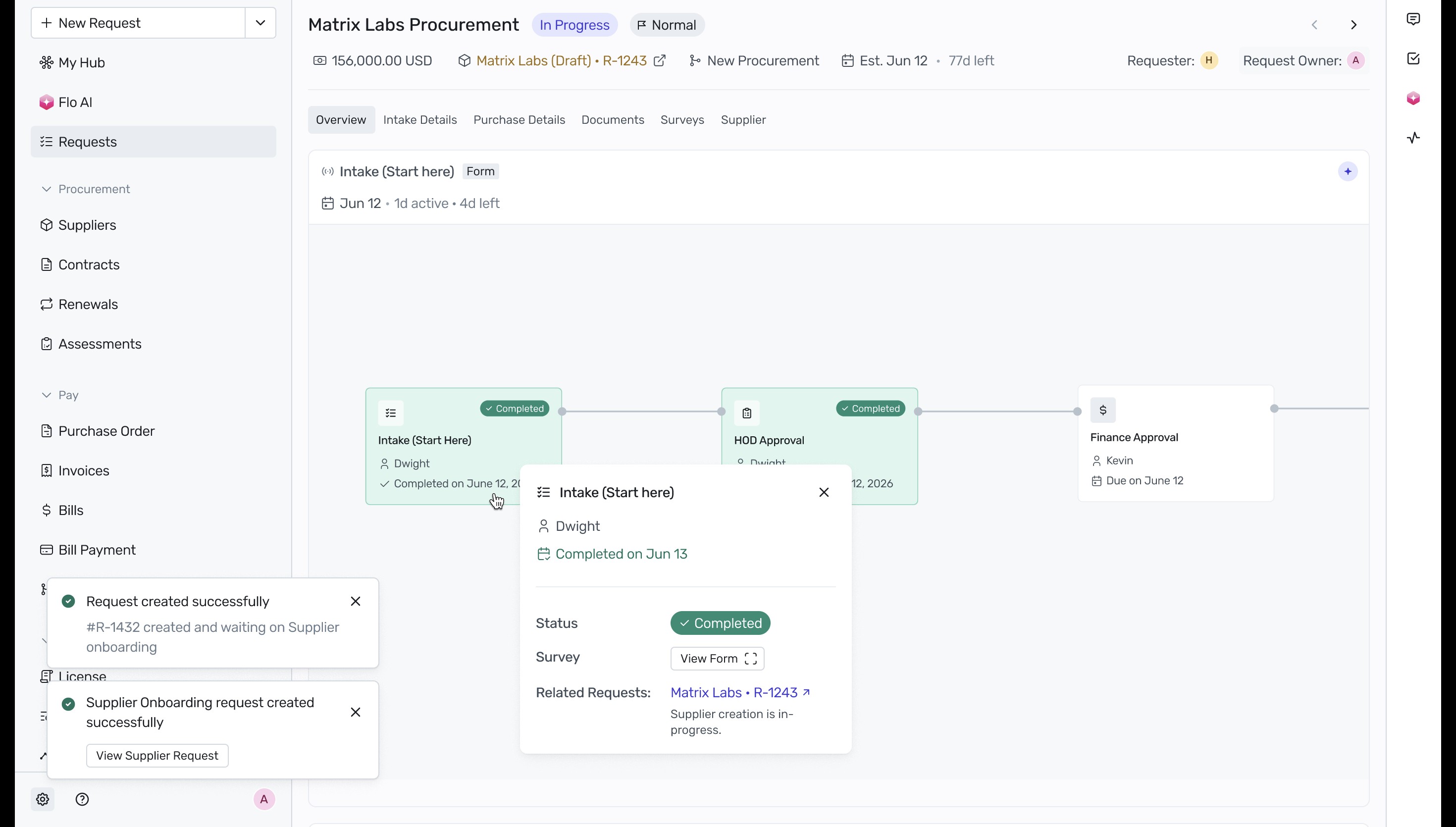
9. After submission, success toast notifications will appear confirming that both the main procurement request and the parallel supplier onboarding request have been created successfully. You will then be redirected to the request's overview page, where you can track its progress through the approval workflow stages.
Next Steps
Now that you have successfully raised a request using Flo AI, you can track its progress directly from your dashboard. For more information on managing your requests, see our guide on Request Details to enhance your workflow.
Was this article helpful?
That’s Great!
Thank you for your feedback
Sorry! We couldn't be helpful
Thank you for your feedback
Feedback sent
We appreciate your effort and will try to fix the article