Overview
Spendflo's Vendor Management module allows you to easily track and manage supplier details, purchase orders, and related documents in one centralized location. By utilizing the supplier details page, you gain complete visibility into your vendor relationships and can quickly retrieve critical data using the AI-powered Ask Flo assistant.
Managing Supplier Details
Follow these steps to navigate and manage your vendor information effectively:
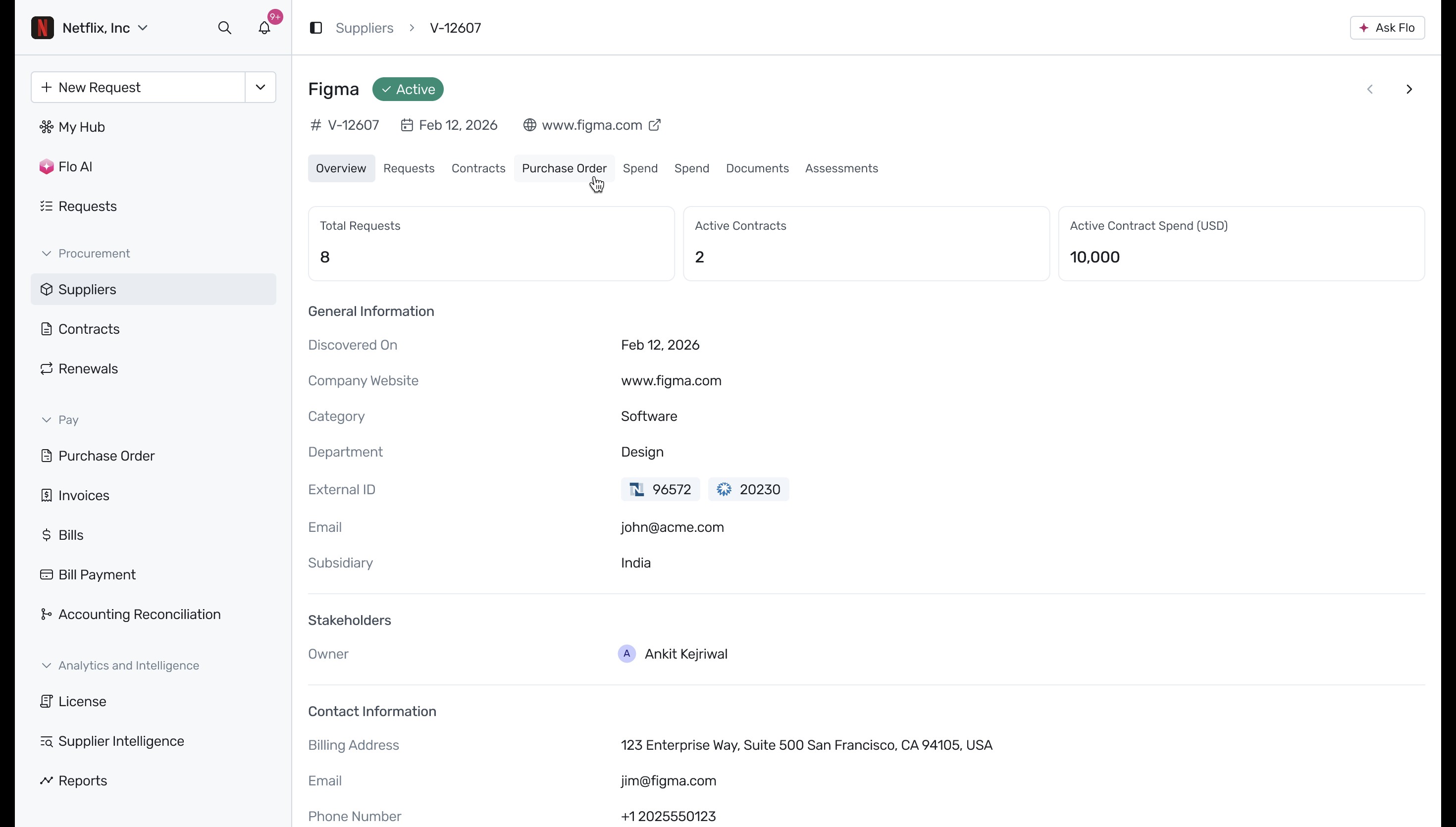
Begin on the supplier details page for a specific vendor, such as Figma. By default, the Overview tab is displayed, providing general information, stakeholder details, and contact information for the supplier.
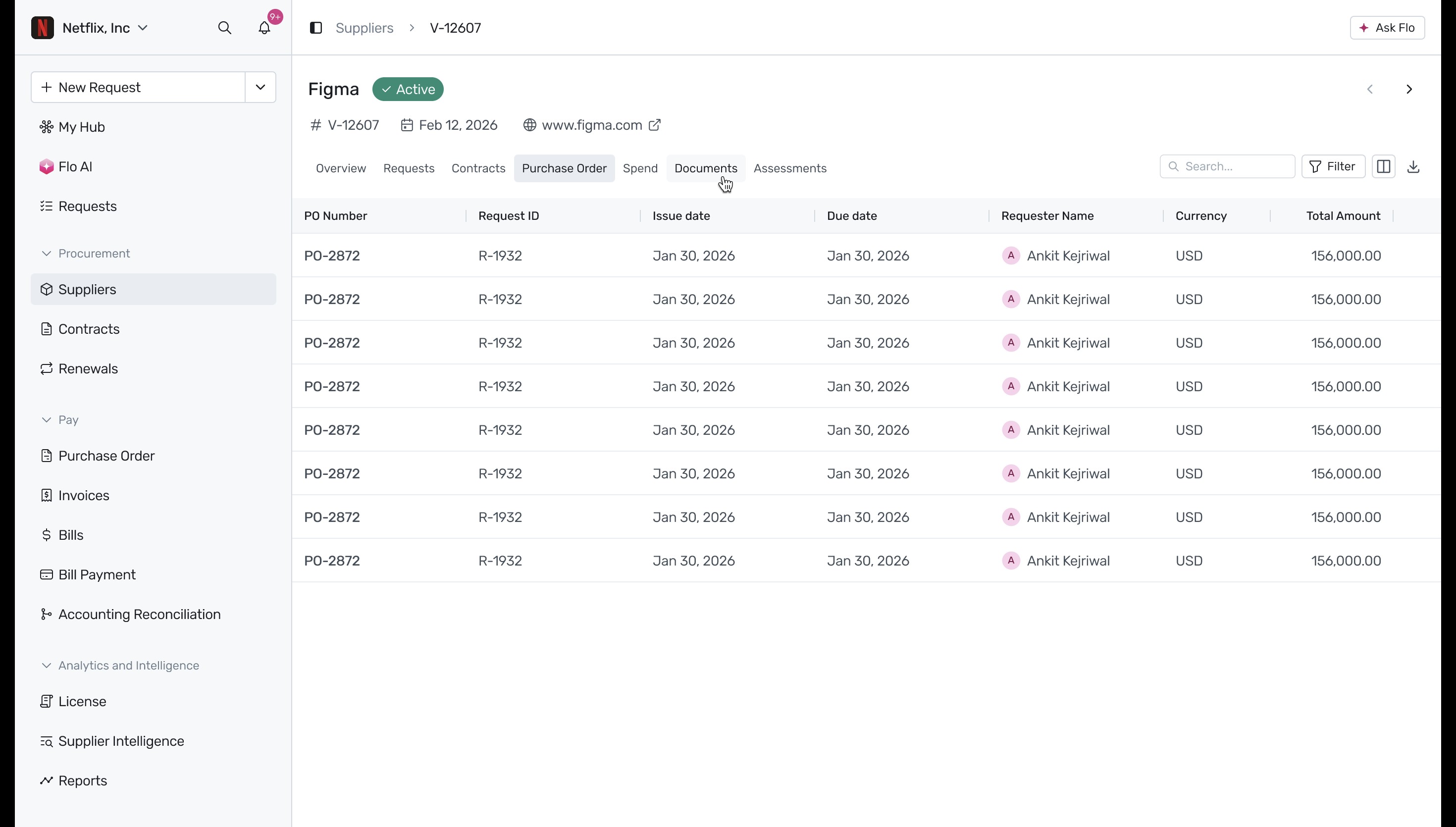
Click the Purchase Order tab to view a comprehensive list of all purchase orders associated with this supplier, including details like issue dates, amounts, and requester names.
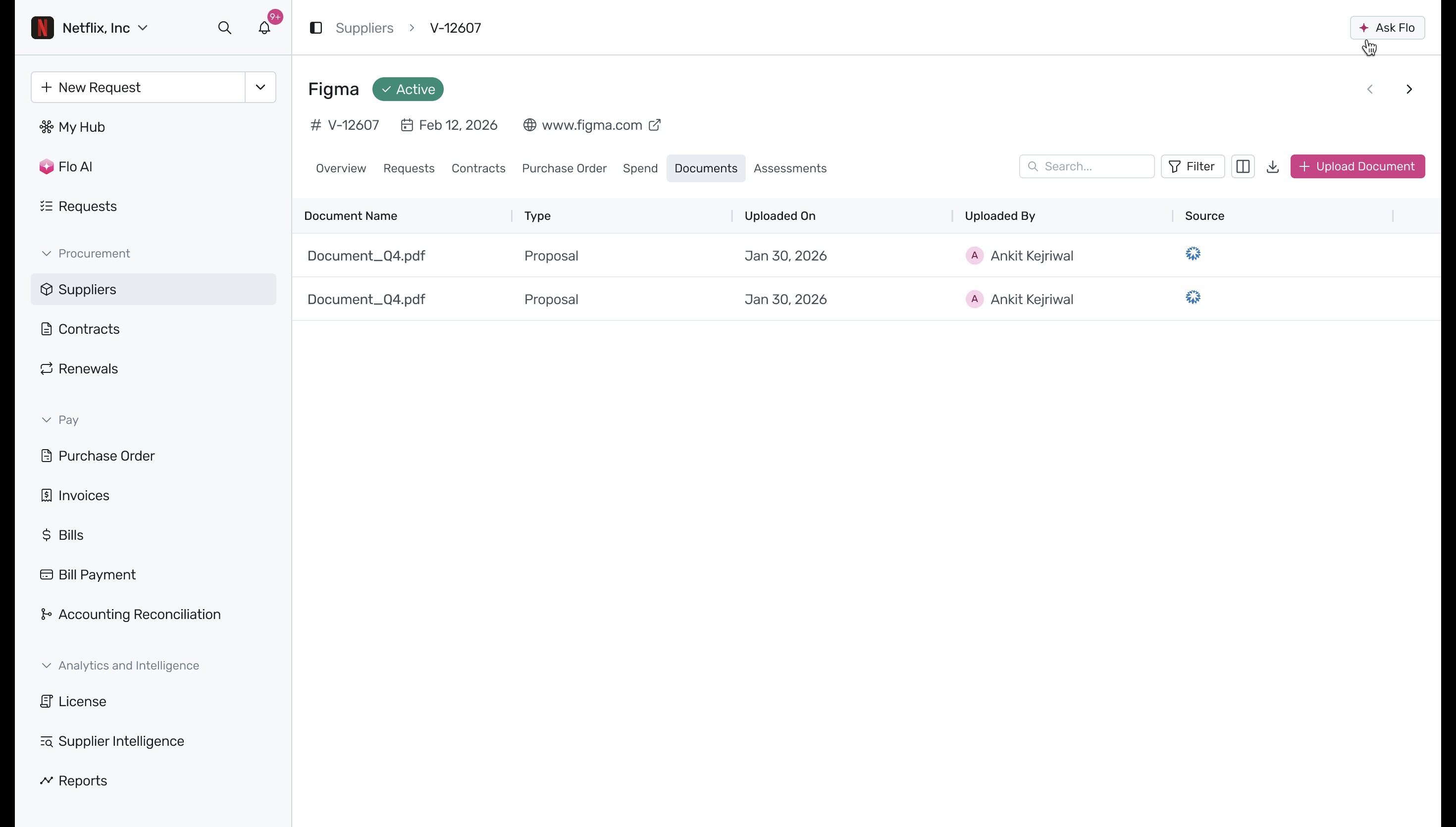
Navigate to the Documents tab to access, view, and manage any documents or proposals related to the supplier.
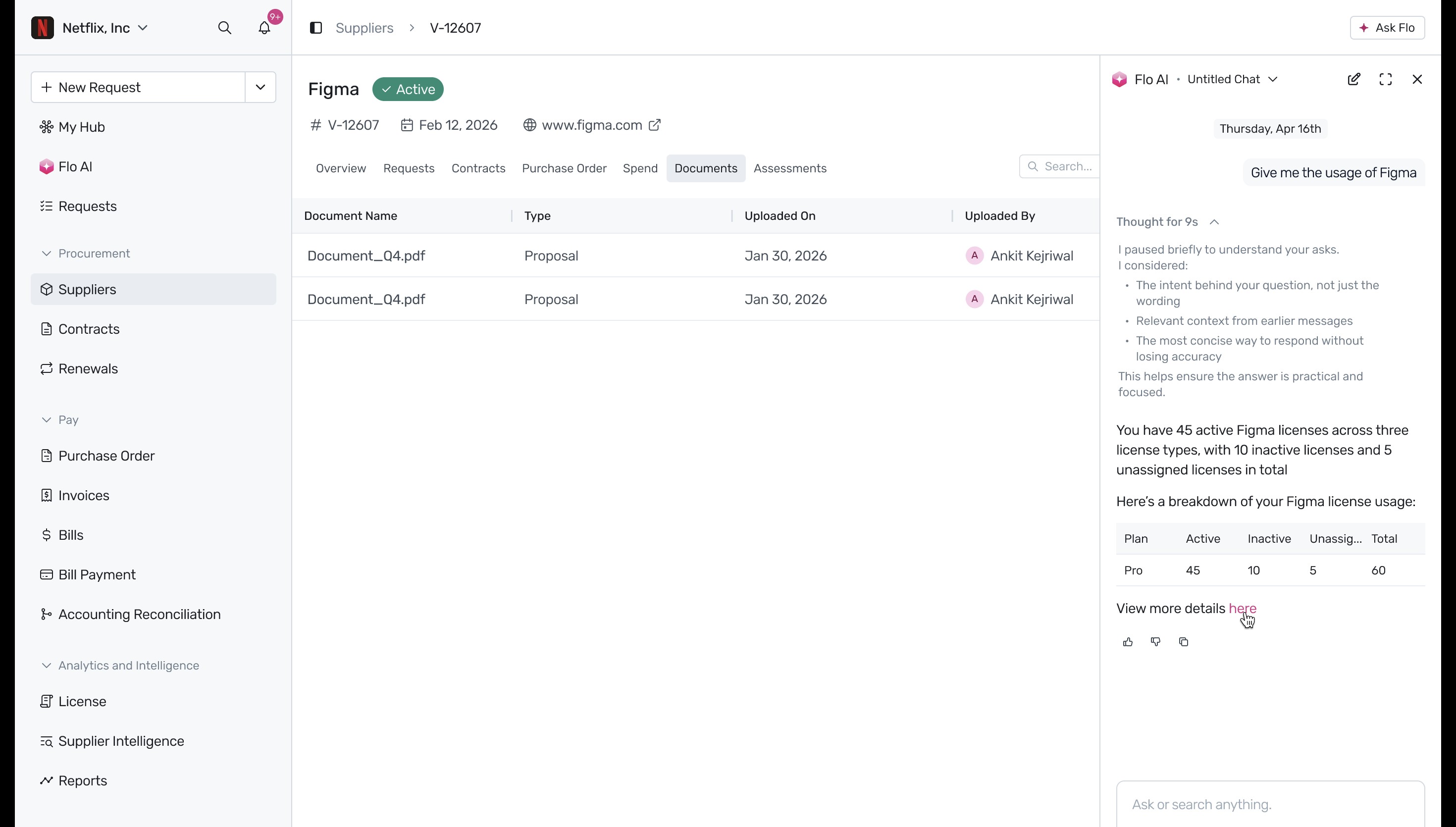
To quickly retrieve specific data without manually searching, click the Ask Flo button located in the top right corner. This opens an AI chat assistant panel on the right side of the screen. You can ask natural language questions, such as "Give me the usage of Figma", and the assistant provides a detailed breakdown, such as active and inactive license counts.
Next Steps
Now that you know how to manage individual suppliers, explore our guides on adding vendors from ERPs or importing agreements via CSV to further streamline your procurement process.
Was this article helpful?
That’s Great!
Thank you for your feedback
Sorry! We couldn't be helpful
Thank you for your feedback
Feedback sent
We appreciate your effort and will try to fix the article