Centralizing your vendor contracts in Spendflo is essential for effective agreement management. By uploading your contracts, you gain full visibility into your software spend, track compliance, and receive proactive alerts for upcoming renewals. This data also populates key metrics on your platform dashboard, such as your Gross Spend Under Management and Contracted Spend.
Spendflo uses Flo AI and SmartScan technology to automatically scan your uploaded contracts and extract key details, saving you hours of manual data entry.
How to Upload a Contract
Follow these steps to upload a single contract document to the platform:
- Navigate to your Spendflo dashboard and click Contracts from the sidebar navigation menu.
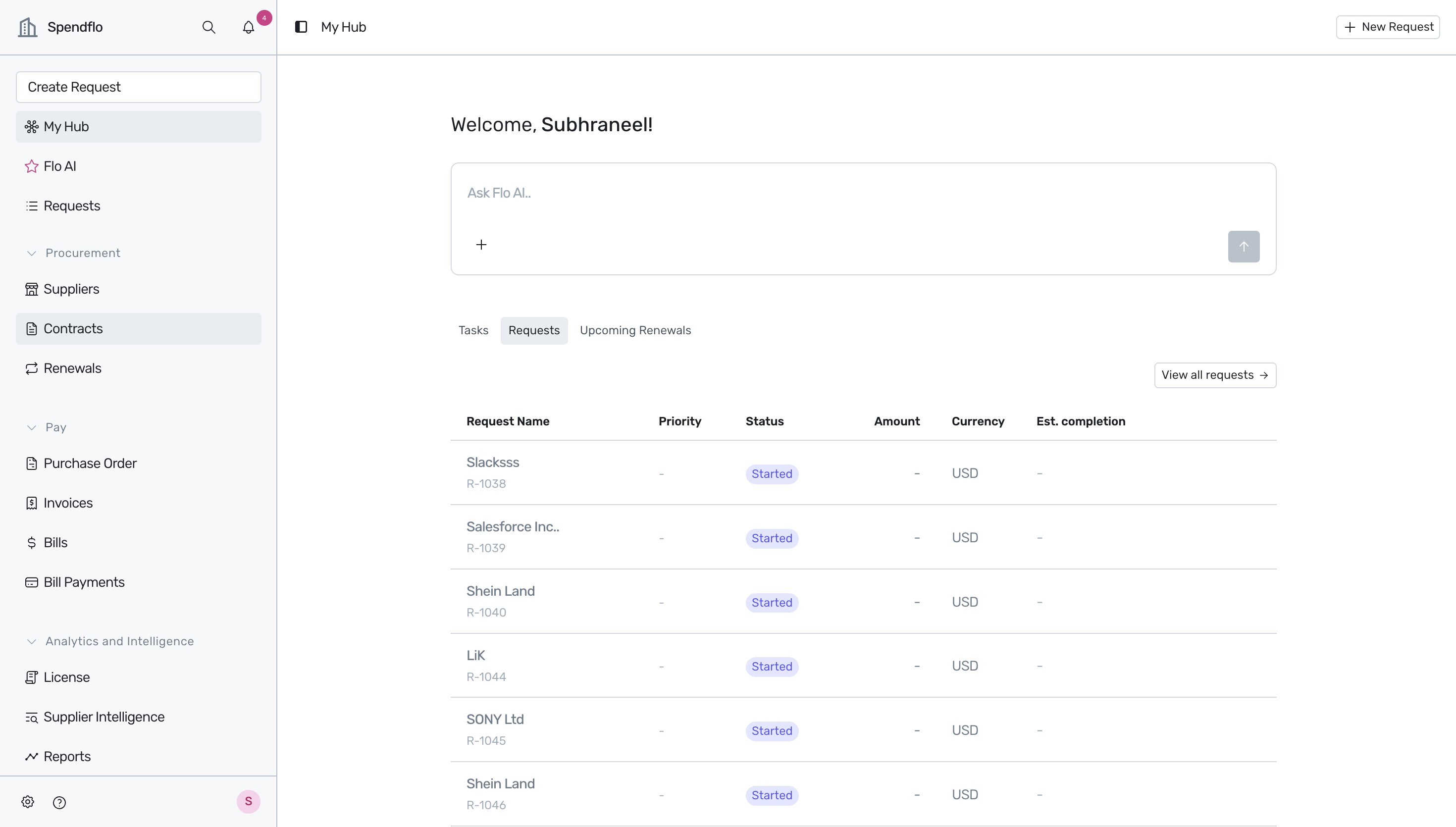
- On the Contracts page, locate the + New button in the upper section of the screen and click the dropdown arrow next to it.
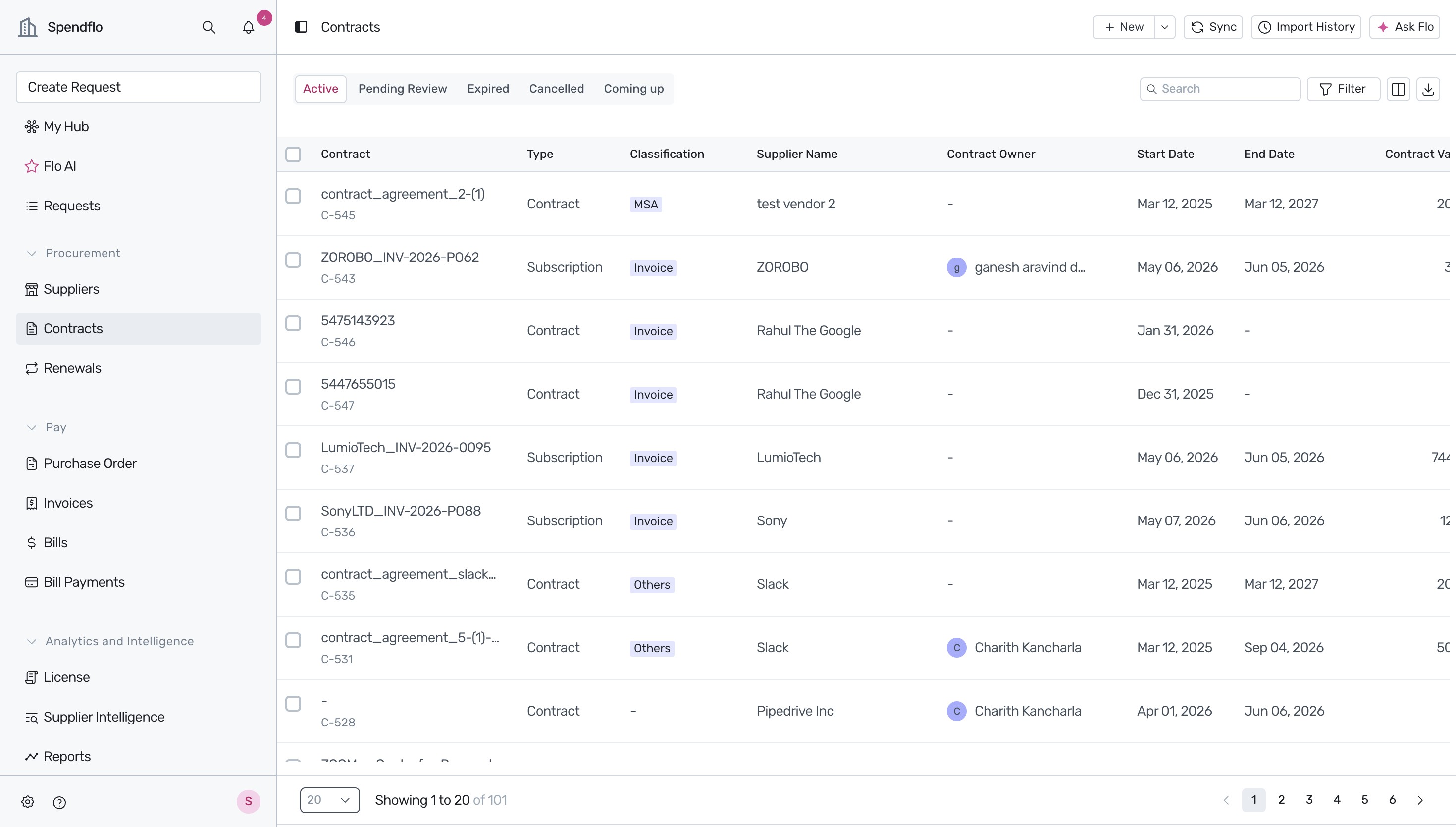
- Select File Upload from the dropdown menu to open the upload interface.
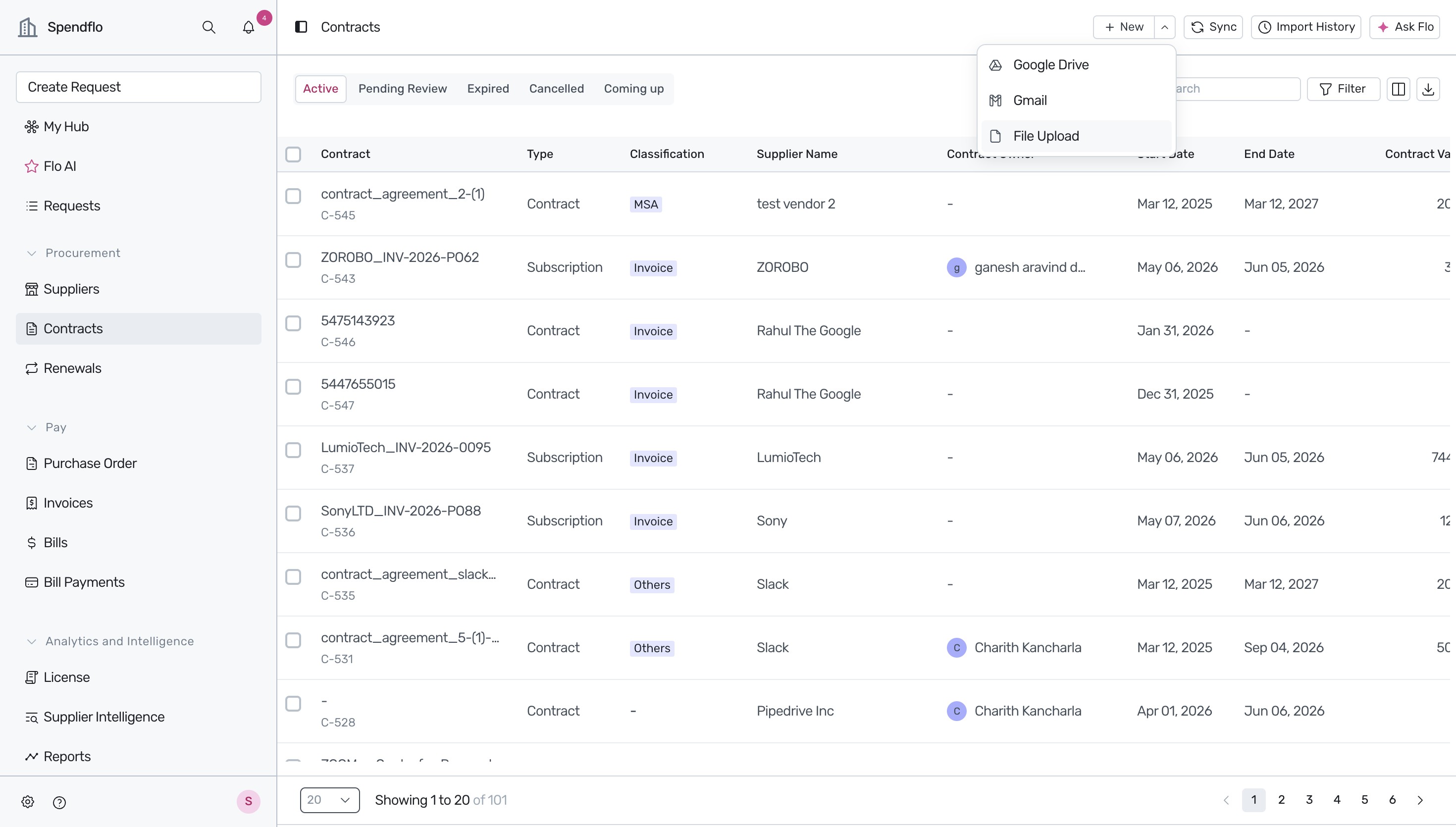
- In the upload modal, click the selection link to browse and choose the contract file from your computer. Spendflo supports PDF, DOC, and DOCX formats up to 5MB. Once the file is added, click Submit.
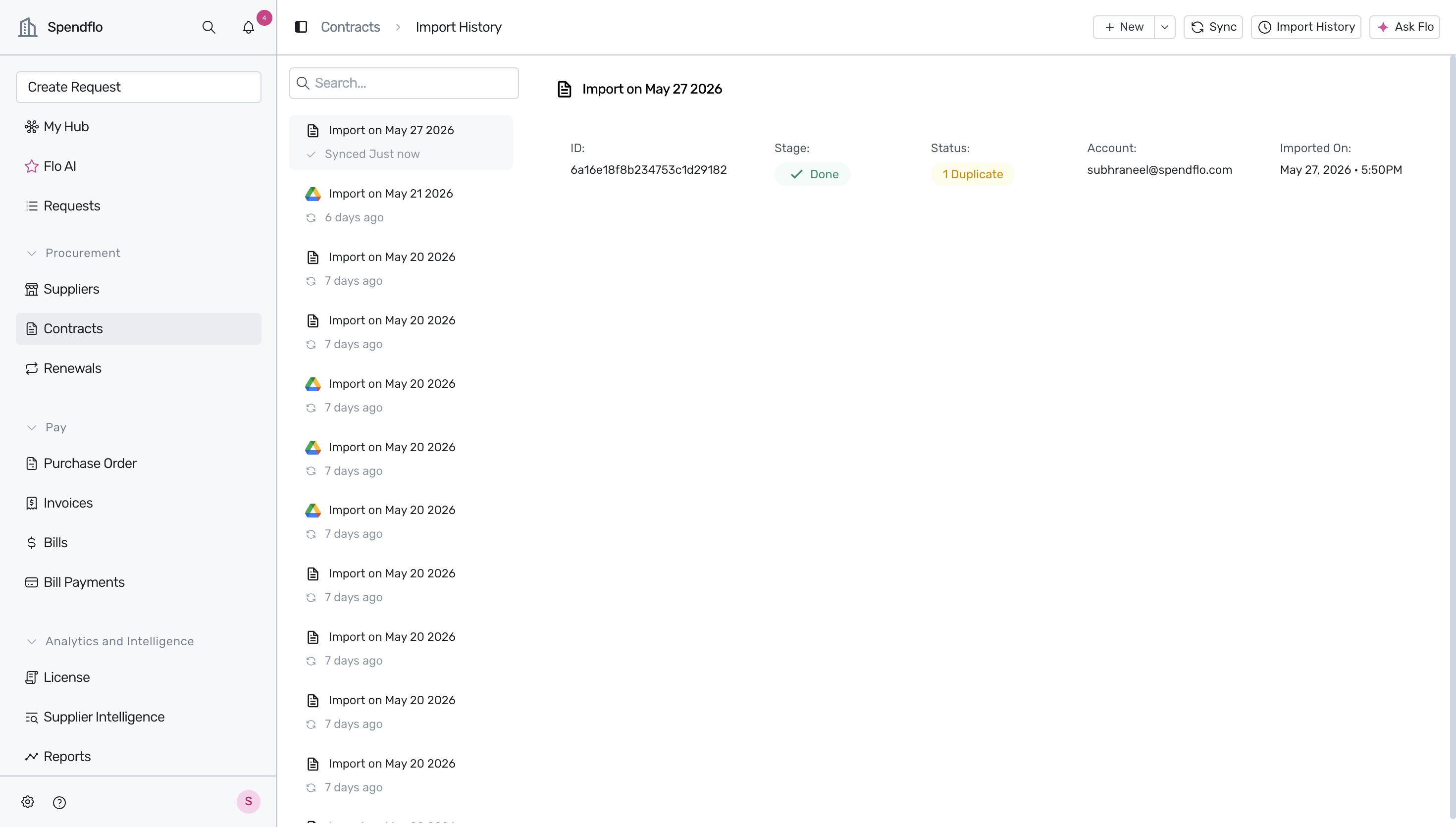
- After submitting, the platform automatically redirects you to the Import History page, where you can monitor the processing stage and status of your upload.
What Happens Next
Once your contract is uploaded, Spendflo's Flo AI begins the SmartScan process to automatically extract contract details, such as start and end dates, billing frequency, and pricing. You can review and edit these fields at any time to ensure absolute accuracy. For a detailed guide on verifying these details, see Adding a new agreement.
After processing is complete, your contract will appear in your centralized portfolio. To learn more about navigating this view, see Understanding the agreements listing table.
Next Steps
Now that you know how to upload individual contracts, you can explore other ways to manage your agreements:
- To import multiple agreements at once using a spreadsheet, see CSV import & export actions on agreements.
- To understand how your uploaded contracts impact your overall financial metrics, see About the platform dashboard.
Was this article helpful?
That’s Great!
Thank you for your feedback
Sorry! We couldn't be helpful
Thank you for your feedback
Feedback sent
We appreciate your effort and will try to fix the article