Overview
Flo, Spendflo's AI assistant, automatically reviews contracts you upload and flags clauses that deviate from standard terms — such as unfavorable liability caps, auto-renewal clauses, or missing termination provisions. This guide shows you how to access and interpret Flo's risk clause analysis.
Use this guide when:
- You have uploaded a contract and want to understand its risk profile.
- You need to identify clauses that require legal review before signing.
- You want to negotiate better terms based on Flo's findings.
Step 1: Navigate to Your Contracts List
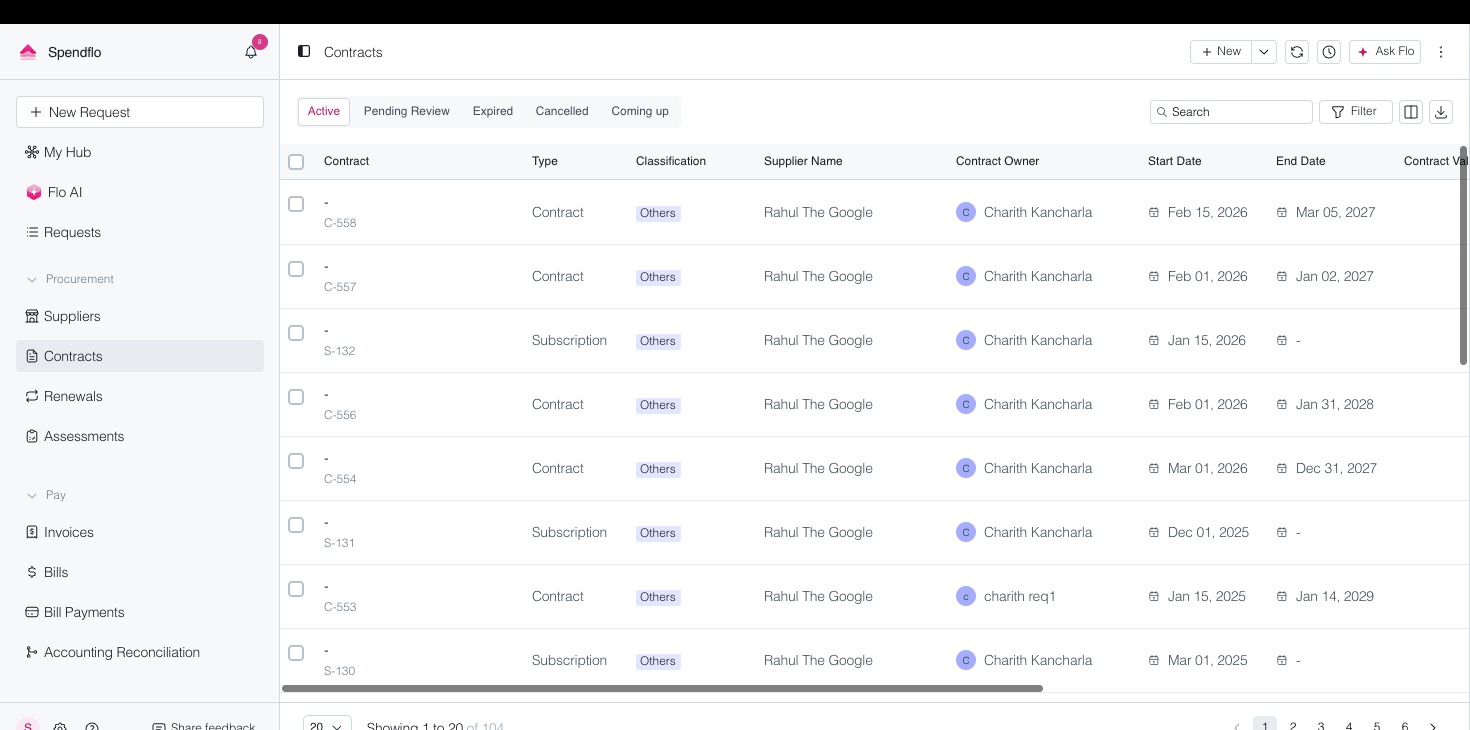
- From the left sidebar, click Contracts under Supplier Management.
- Locate the contract you want to review. Use the search bar or filters to narrow results.
- Click the contract name to open its detail page.
Step 2: Open the Flo AI Analysis Panel
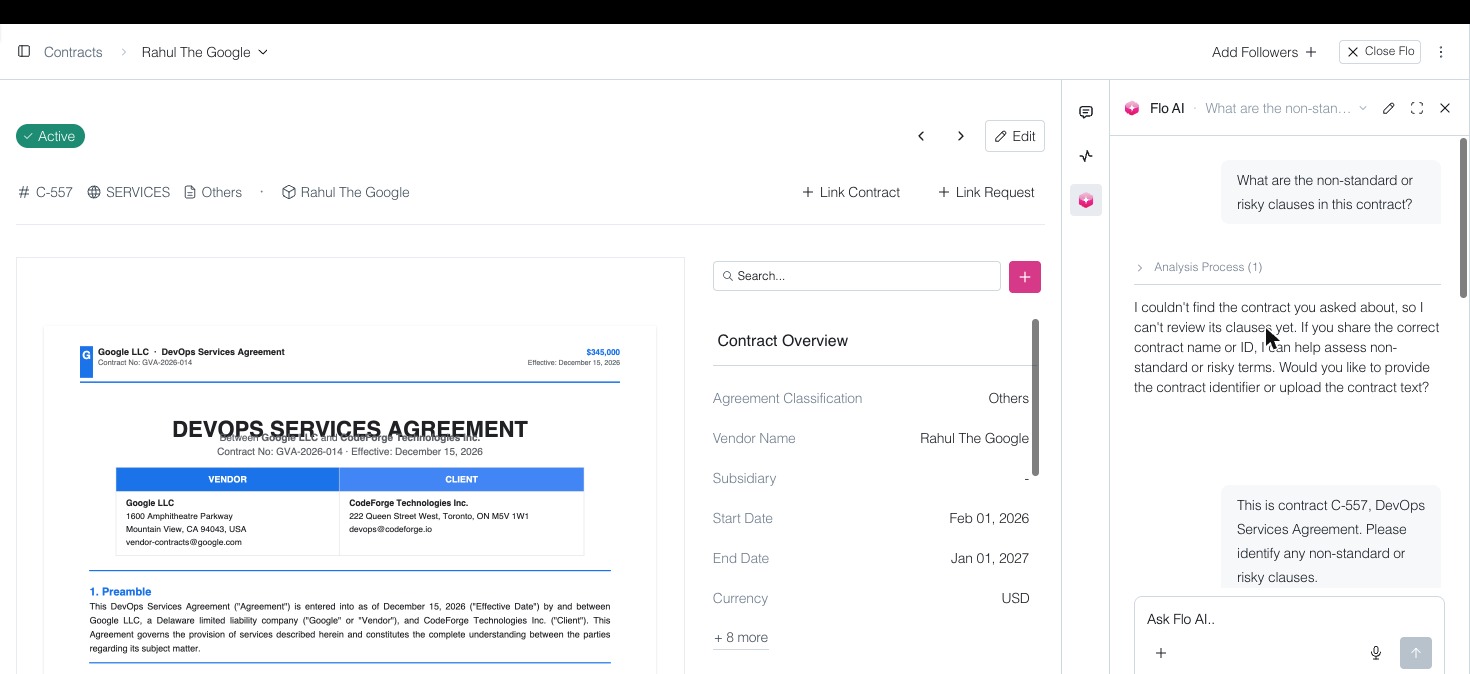
- On the contract detail page, look for the Ask Flo button in the top-right corner.
- Click Ask Flo to open the AI analysis panel on the right side of the screen.
- Flo will automatically analyze the contract and display a summary of the contract's key details, including parties, dates, and ownership.
- Scroll down in the Flo panel to find the Risk Clauses section, where Flo lists non-standard or potentially problematic terms it has identified.
Step 3: Interpret the Risk Flags
Each flagged clause includes:
- Clause type — e.g., Liability Cap, Auto-Renewal, Termination for Convenience.
- Risk level — High, Medium, or Low based on Flo's assessment.
- Explanation — A plain-language description of why the clause is flagged.
- Recommendation — Suggested negotiation points or alternative language.
⚠️ Note: Flo's analysis is AI-generated and should be used as a starting point. Always consult your legal team before signing contracts with high-risk clauses.
Quick Reference
Ask Flo button: Located in the top-right of any contract detail page. Opens the AI analysis panel.
Risk Clauses section: Found within the Flo panel, below the contract summary. Lists all flagged non-standard terms with risk levels and recommendations.
Was this article helpful?
That’s Great!
Thank you for your feedback
Sorry! We couldn't be helpful
Thank you for your feedback
Feedback sent
We appreciate your effort and will try to fix the article