Spendflo's Flo AI automatically extracts key information from your uploaded contracts, saving you hours of manual data entry. This feature, powered by Spendflo's SmartScan technology, ensures that your contract details are captured accurately and are readily available for review. To understand how contracts are added to the platform.
This article guides you through the details Flo AI extracts and how you can review and verify them on the platform.
What Flo AI Extracts
Flo AI automatically scans your contract documents and extracts critical metadata fields to help you manage your agreements efficiently. The extracted fields include:
- Agreement Details: Contract name, start date, end date, classification, and billing frequency. To understand how these fields affect your portfolio,
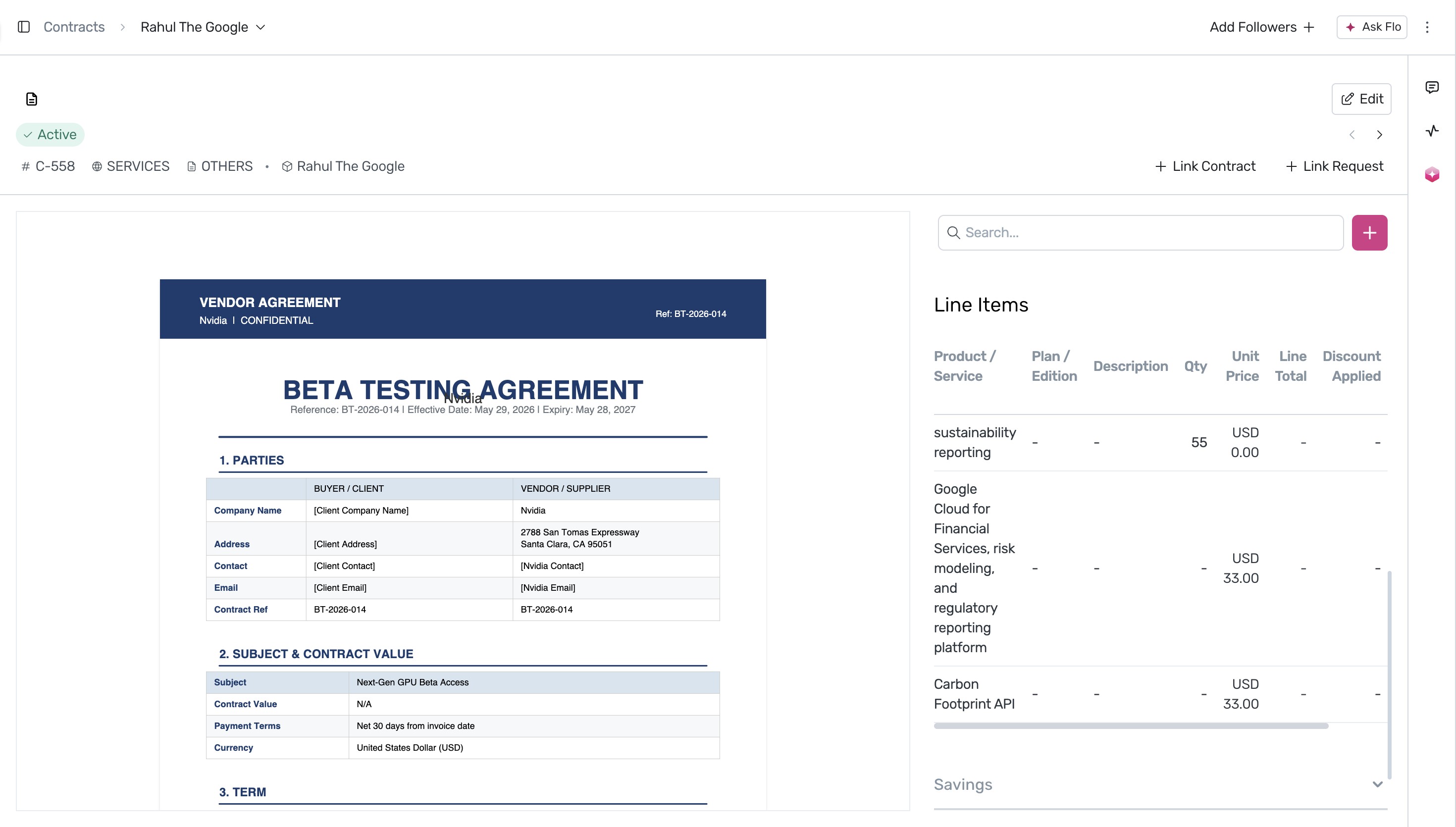
- Line Items: Individual products, subscription plans, quantities, and unit prices.
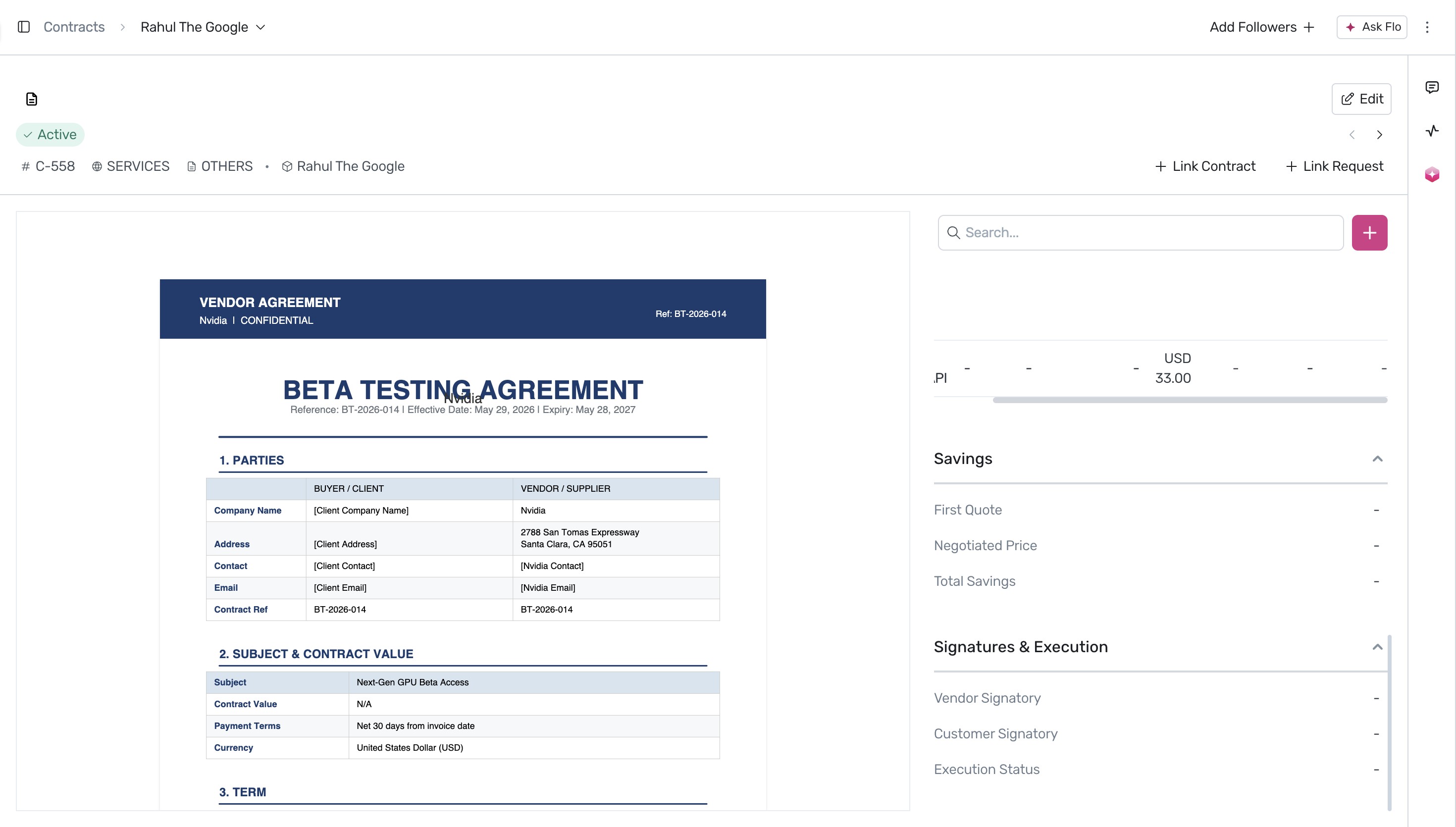
- Financial Metrics: Negotiated price, first quote, last quote, and total savings.
- Execution Details: Vendor and customer signatories, signing dates, and execution status.
How to Review Extracted Contract Details
Follow these steps to review and verify the information extracted from your contracts:
Navigate to the Contracts page by selecting Contracts in the sidebar menu. This page displays all your active and pending contracts.
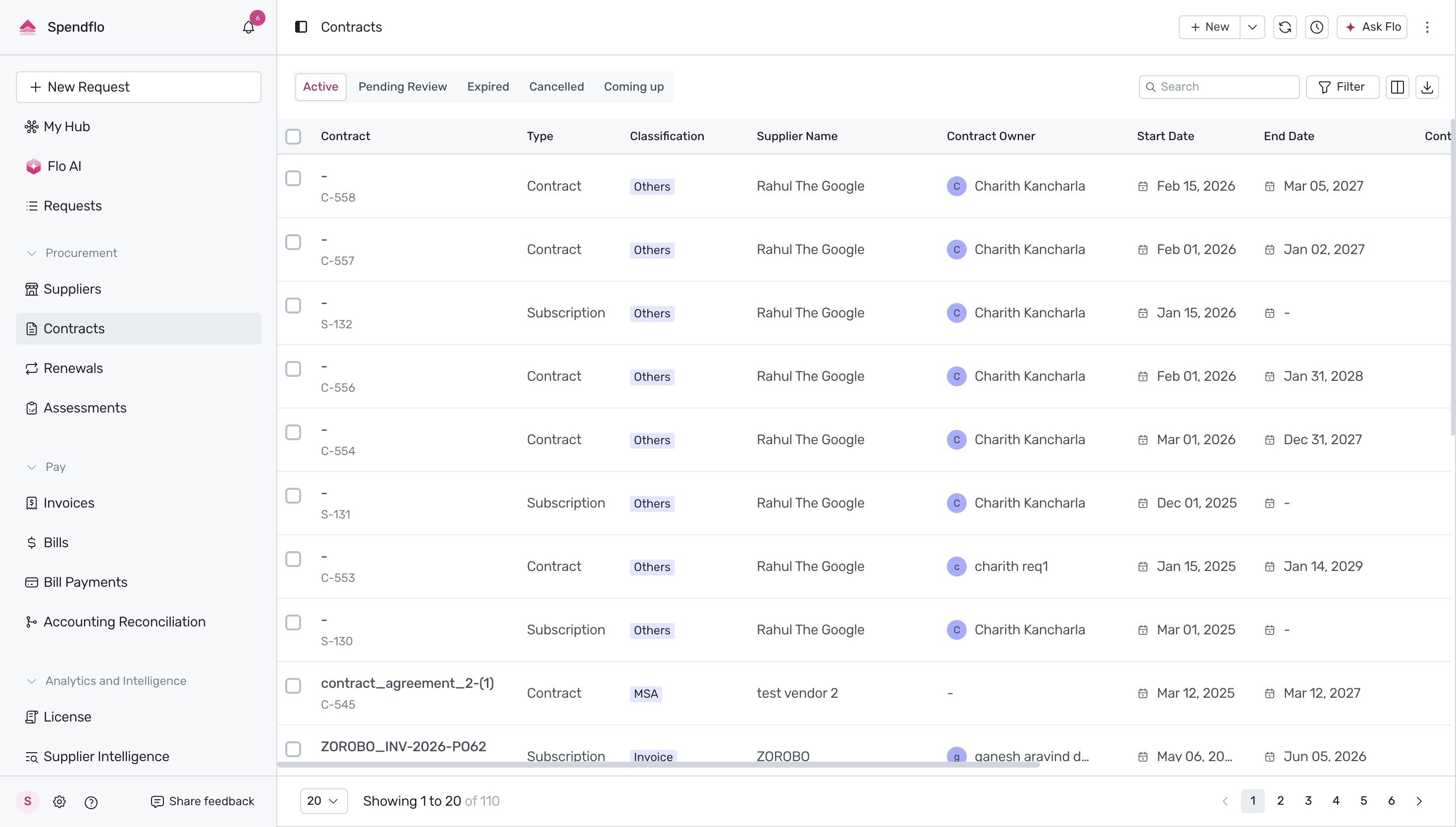
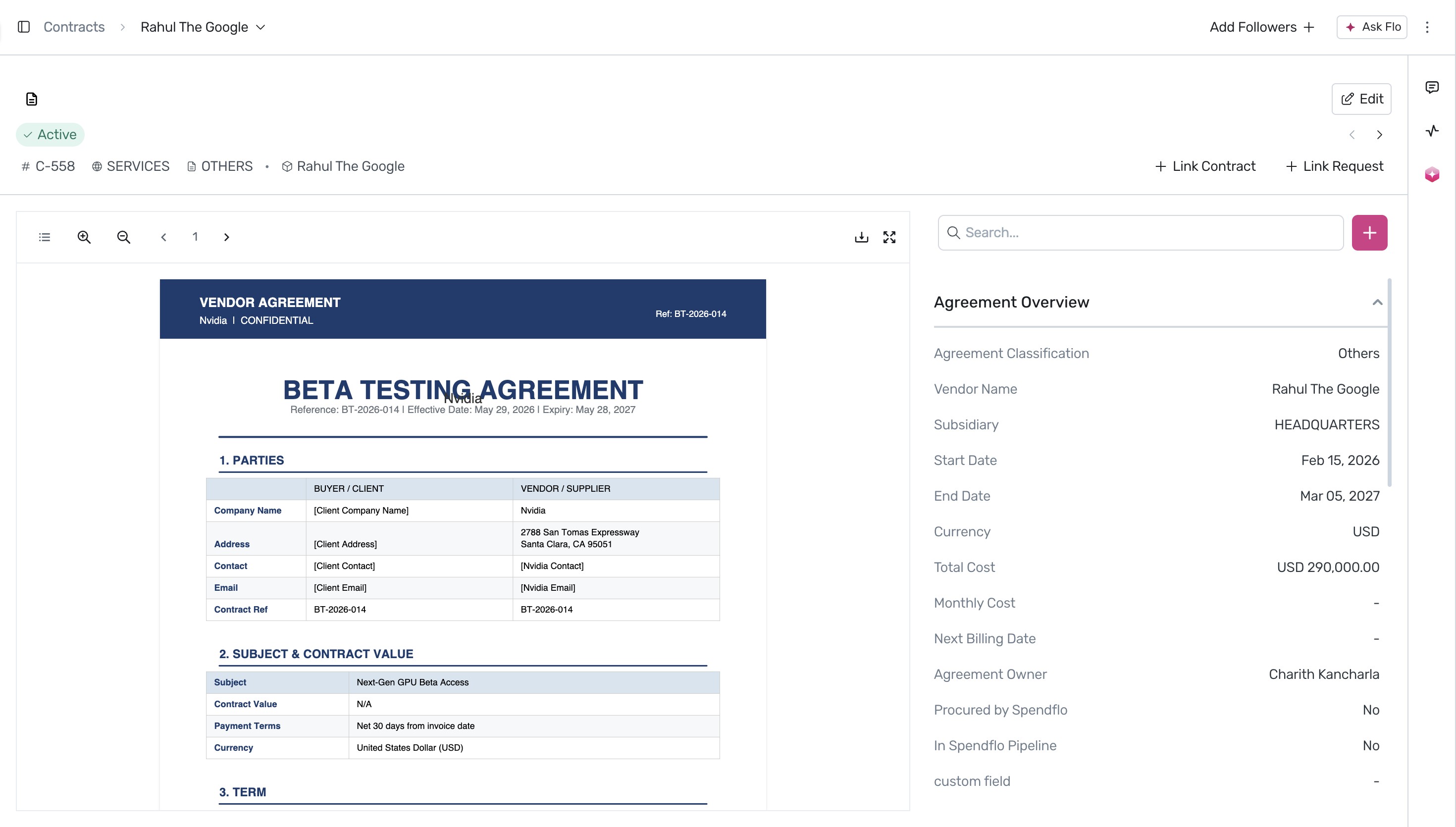
Select the contract you want to inspect from your active contracts list. For example, click on contract C-558 to open its detailed view, which displays the contract document alongside the Flo AI-extracted Agreement Overview. Click the + 8 more button under the overview section to expand all extracted metadata fields.
Scroll down the details panel to locate the Line Items section. Here, you can review specific products, services, plans, quantities, and unit prices extracted by Flo AI from the document.
Expand the Savings and Signatures & Execution accordions at the bottom of the details panel to verify financial negotiations and signing details, such as the Negotiated Price, Total Savings, Signatories, and the Execution Status.
Next Steps
After reviewing your contract details, you can learn more about managing your active contracts.
Was this article helpful?
That’s Great!
Thank you for your feedback
Sorry! We couldn't be helpful
Thank you for your feedback
Feedback sent
We appreciate your effort and will try to fix the article