Linking your contracts (agreements) to vendors, purchase orders (POs), or procurement requests in Spendflo ensures complete visibility and auditability across your SaaS procurement lifecycle. By establishing these connections, finance and procurement teams can track spend against specific contract terms, manage renewals more efficiently, and maintain a clear paper trail.
How to Link a Contract to a Purchase Order
Follow these steps to link an active agreement to an existing purchase order within Spendflo:
Navigate to the Purchase Orders section from the sidebar menu under the Pay category to view the list of all purchase orders.
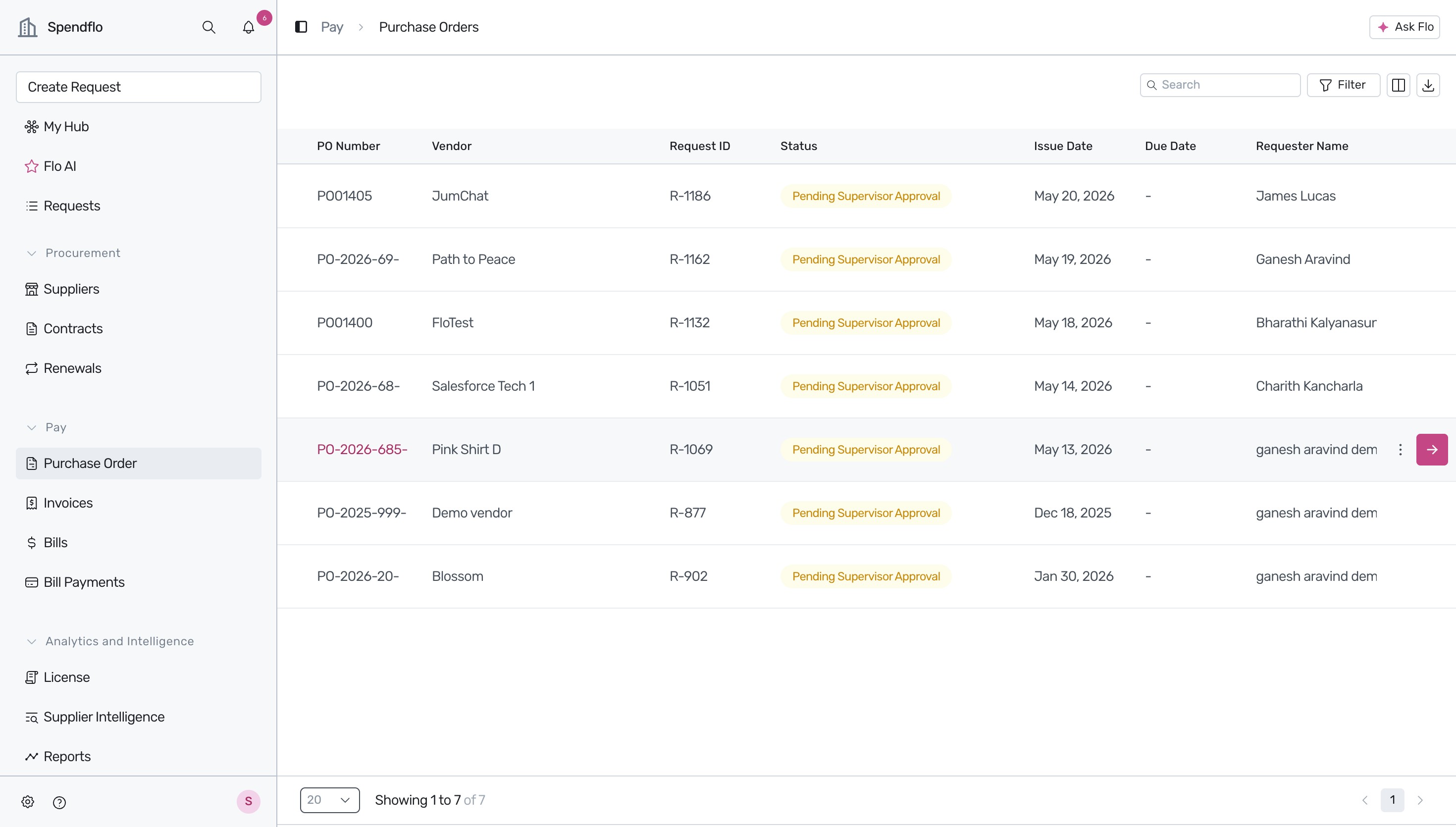
Locate the specific Purchase Order you want to view or modify (for example, PO-2026-69- for 'Path to Peace') and click the View Purchase Order action button (the arrow icon) on the right side of the row.
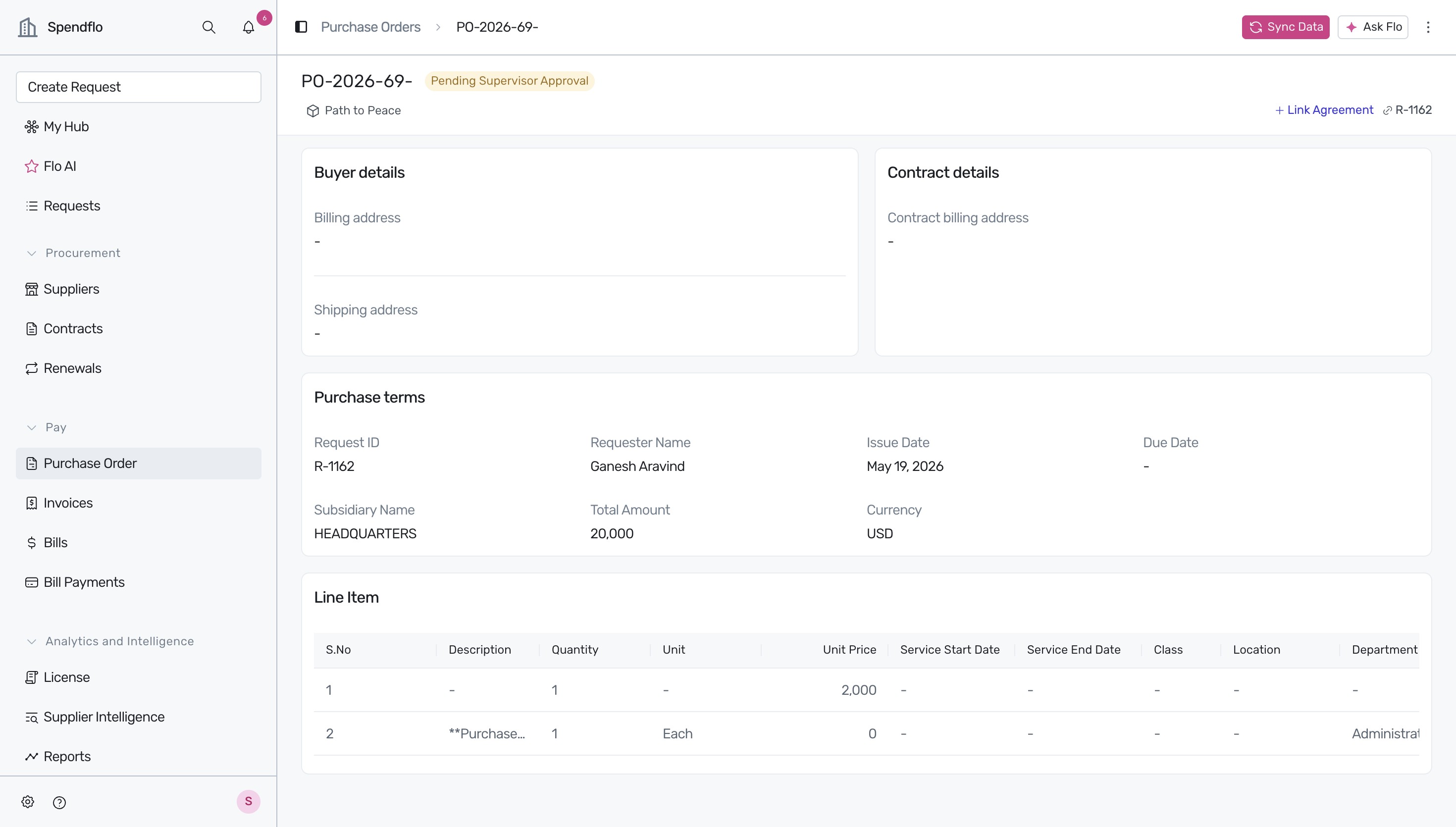
- On the Purchase Order details page, click the + Link Agreement button located in the top-right corner.
Click on the search input field in the dropdown overlay and type the name of the contract or agreement you want to link (e.g., 'google') to filter the results.
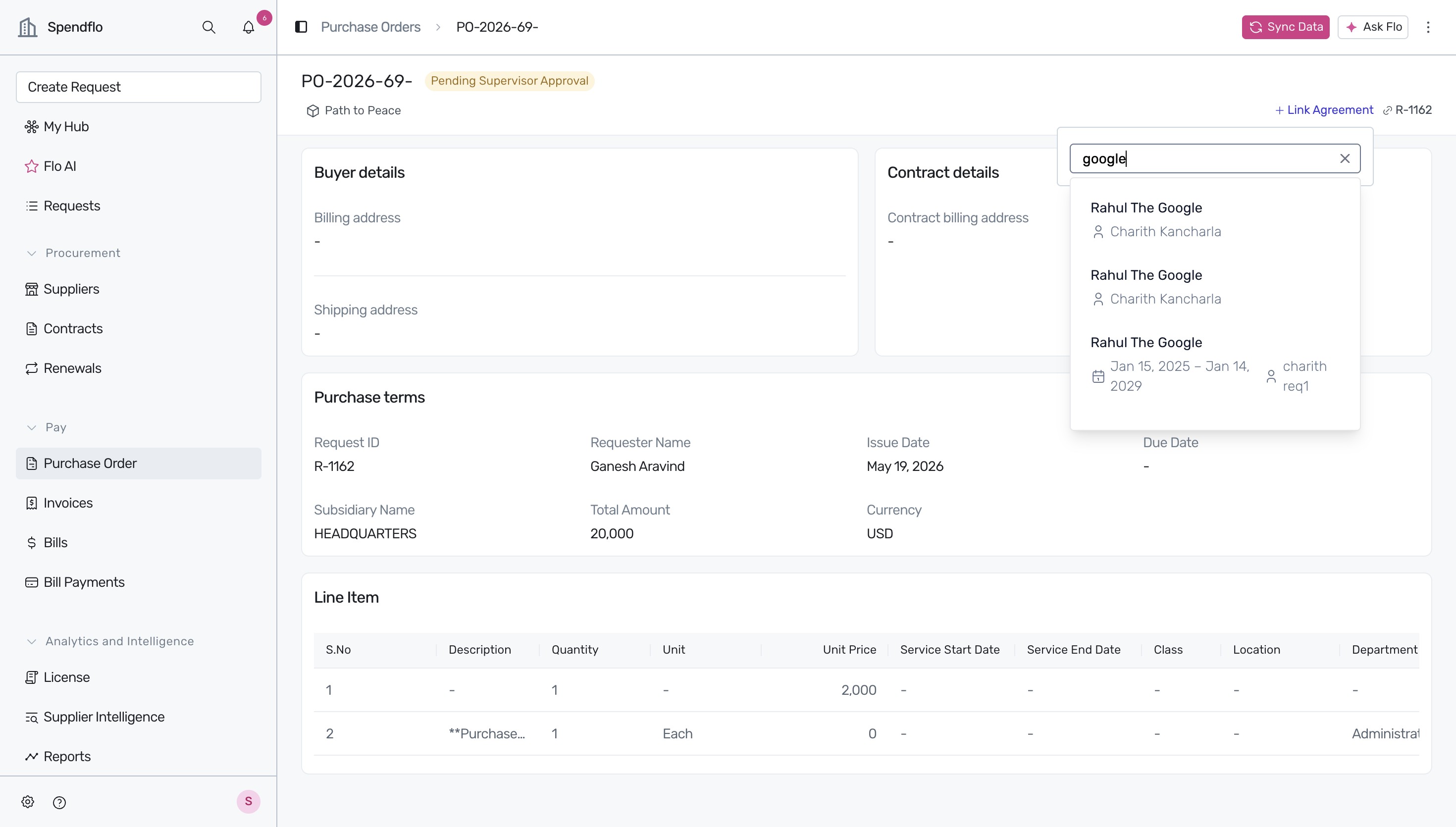
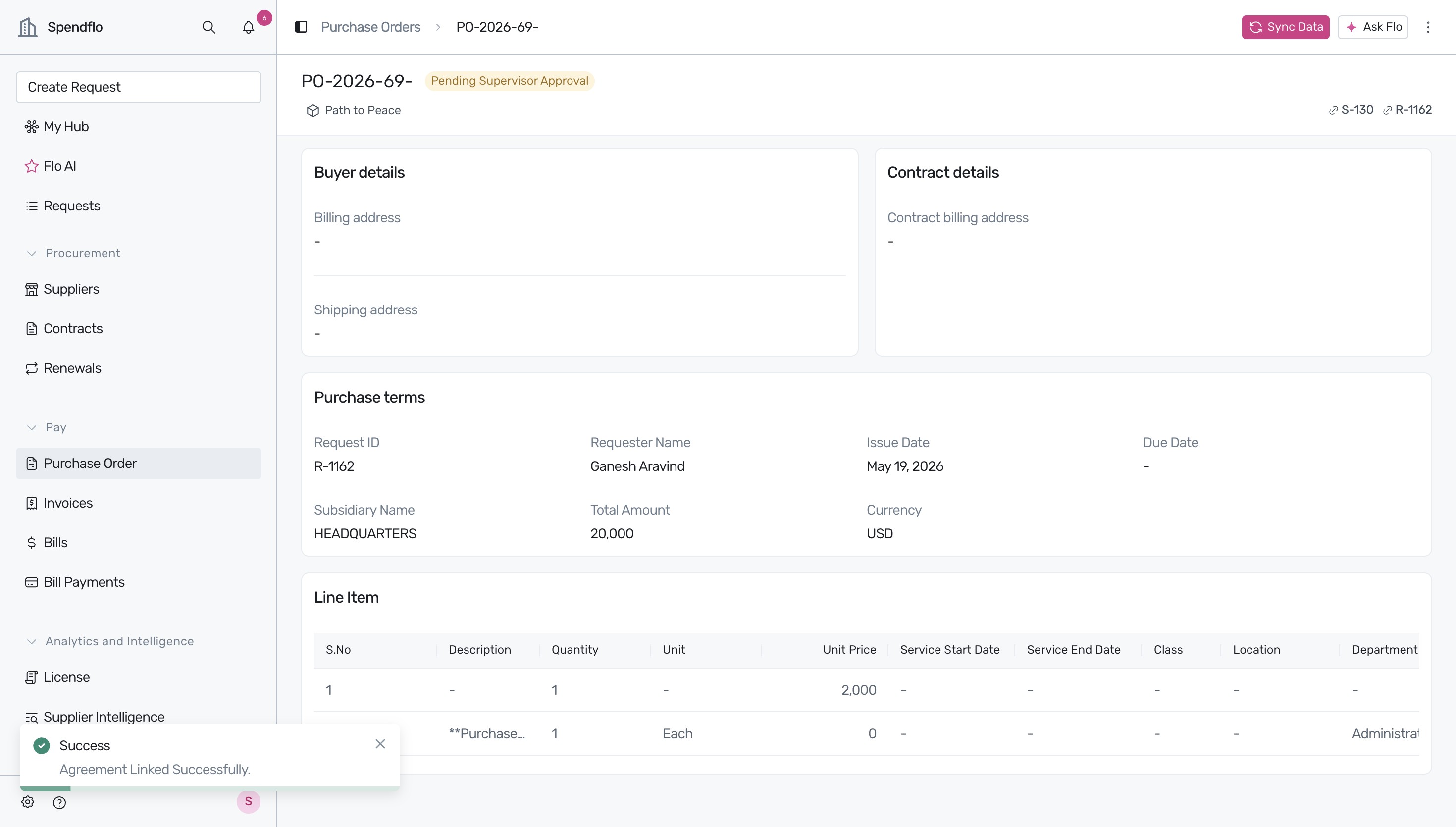
Select the appropriate agreement (e.g., 'Rahul The Google') from the search results dropdown to link it to the Purchase Order. Once selected, a success toast notification 'Agreement Linked Successfully' will appear, and the linked contract ID (e.g., S-130) will be displayed in the top-right corner.
Linking Contracts to Vendors and Requests
In addition to Purchase Orders, Spendflo allows you to link agreements directly to vendors and procurement requests to centralize your documentation:
- Vendors: Linking a contract to a vendor helps you track active commitments, renewal dates, and associated costs directly on the vendor's profile.
- Requests: Connecting contracts to procurement requests ensures that all relevant documents, such as quotes and approvals, are easily accessible during due diligence. To understand where these documents live.
Next Steps
Once you have successfully linked your contract, you can explore the following resources to manage your agreements and integrations:
Was this article helpful?
That’s Great!
Thank you for your feedback
Sorry! We couldn't be helpful
Thank you for your feedback
Feedback sent
We appreciate your effort and will try to fix the article