Overview
The Purchase Orders module inside Procure-to-Pay gives your finance and procurement teams a unified view of every purchase order generated through Spendflo — including their current lifecycle status, line item details, linked bills, and ERP record.
In the P2P context, Purchase Orders play a critical upstream role: they represent the pre-approved spend commitment. When a vendor invoice arrives and a bill is created, Spendflo automatically checks whether the bill is backed by an open PO — and uses the PO's data to pre-populate GL codes, departments, and the spend owner on the bill.
Who Is This For?
Key Concepts
How POs Connect to the P2P Workflow
Purchase Orders are created upstream through Spendflo's procurement workflows (see the Purchase Orders documentation for how POs are generated from requests).
Inside the P2P module, POs are used in two ways:
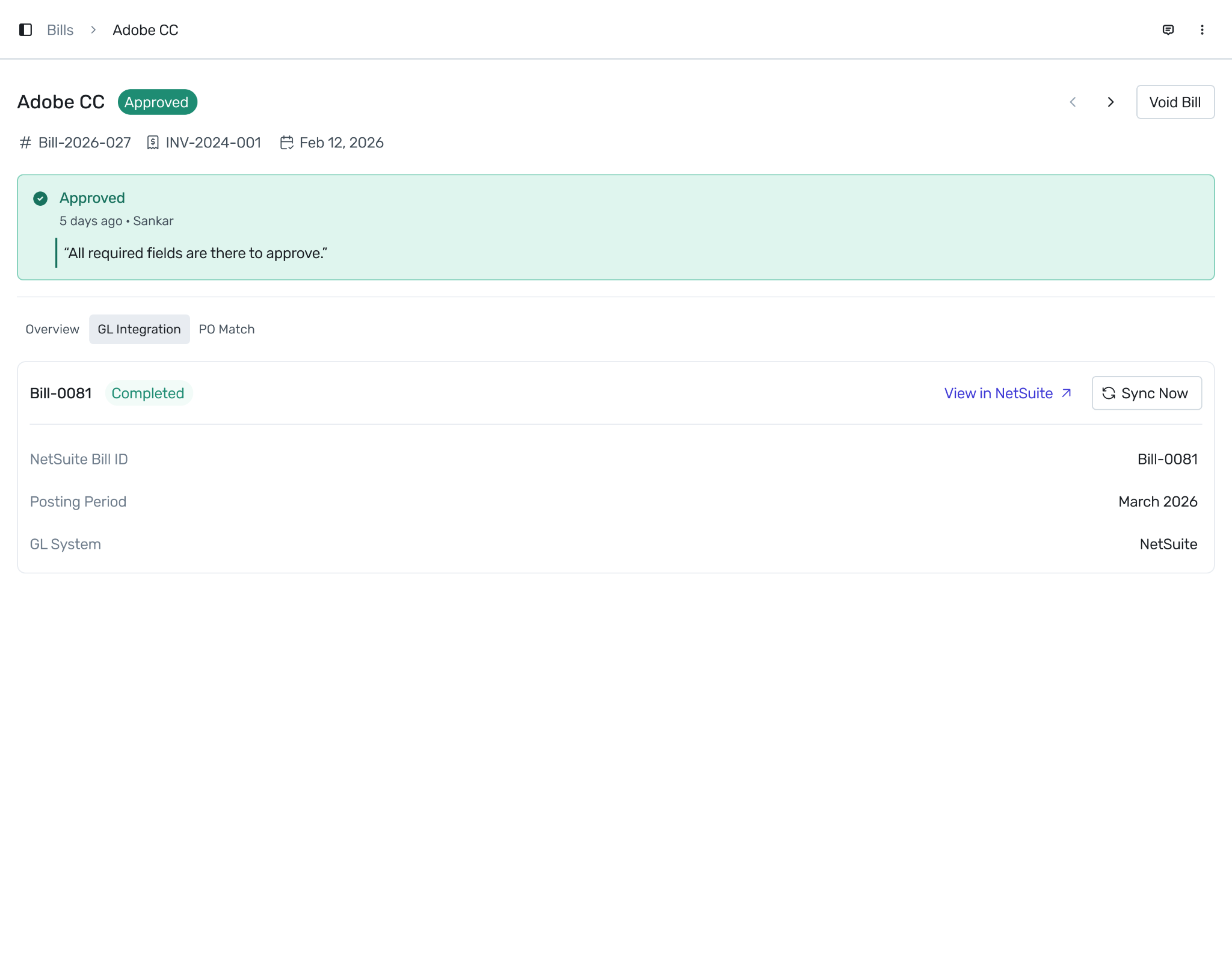
GL enrichment on bill creation: When a bill is created and matched to a PO, the GL account, department, class, and location from the PO's line items are copied to the bill's line items automatically — reducing manual coding.
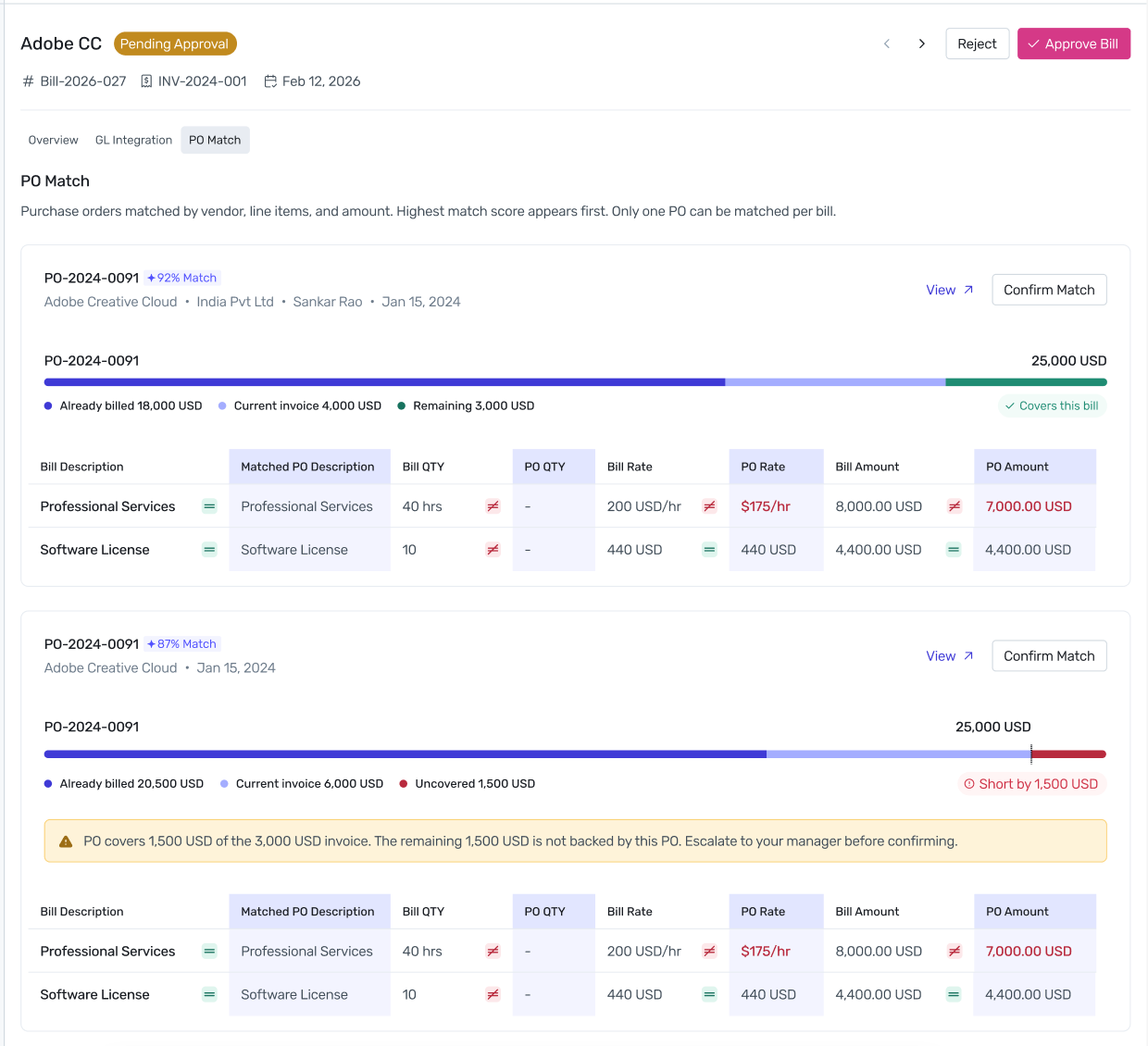
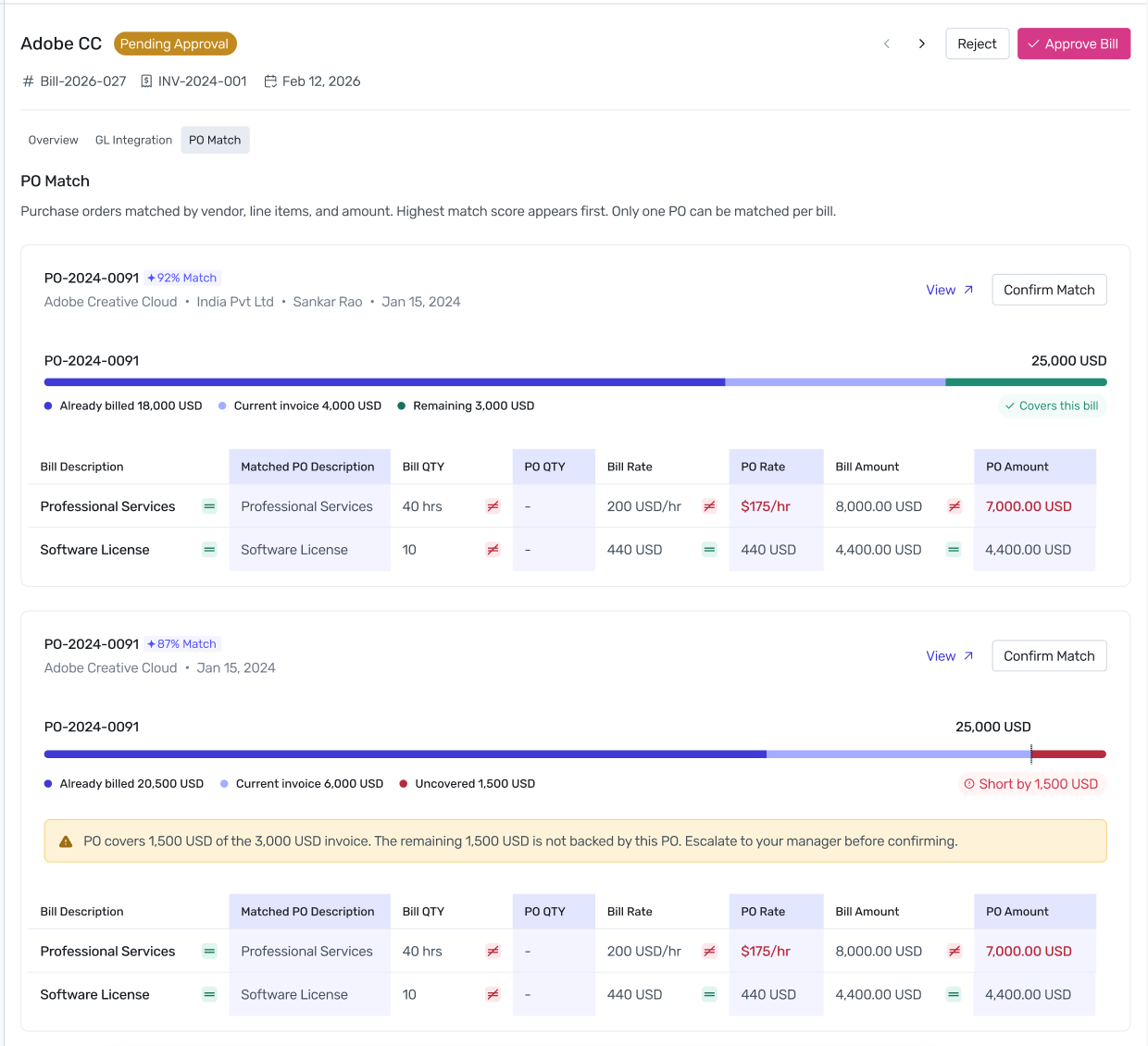
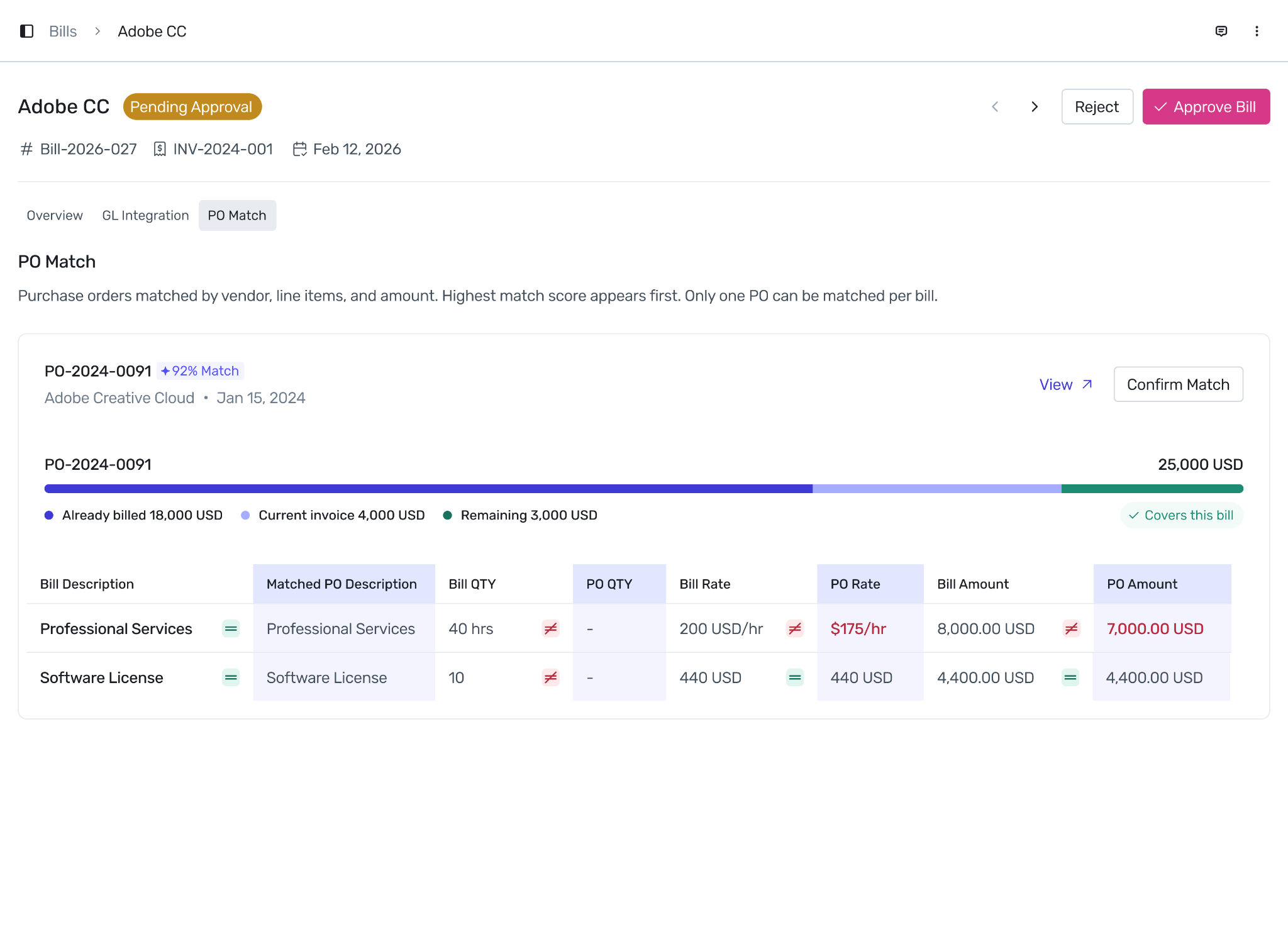
PO matching validation at approval: When an Approver reviews a bill, Spendflo shows which open POs from the same vendor could match this bill, ranked by AI match score. The Approver confirms the correct PO before approving the bill.
Purchase Orders Listing
Navigate to Procure to Pay → Purchase Orders in the left navigation to see all POs.
Once a PO is fully consumed, it is no longer available for matching and will not appear as a match option on future bills. If a bill arrives without a matching PO, or if the remaining PO balance does not cover the invoice amount, Spendflo flags the shortfall during the approval step. The approver is notified to resolve the gap before the bill can be approved and synced to NetSuite.
Was this article helpful?
That’s Great!
Thank you for your feedback
Sorry! We couldn't be helpful
Thank you for your feedback
Feedback sent
We appreciate your effort and will try to fix the article