Overview
Spendflo allows you to maintain a clean vendor database by archiving vendors that are no longer active and by merging duplicate vendor entries. This guide walks through both workflows step by step.
Use this guide when:
- You have duplicate vendor records created by different team members.
- A vendor relationship has ended and you want to archive the record.
- You want to consolidate spend and contract data under a single vendor profile.
Part 1: Finding Duplicate Vendor Records
Before archiving or merging, use the search feature to identify duplicate or inactive vendor records.
- Navigate to Suppliers from the left sidebar.
- Use the Search bar at the top of the page to search for the vendor name you suspect has duplicates.
- Review the results. Duplicate vendors will appear as separate rows with the same or similar names. Note the vendor(s) you want to archive or merge.
Part 2: Archiving a Vendor
Archiving removes a vendor from your active list without permanently deleting it. Archived vendors and their associated data remain accessible.
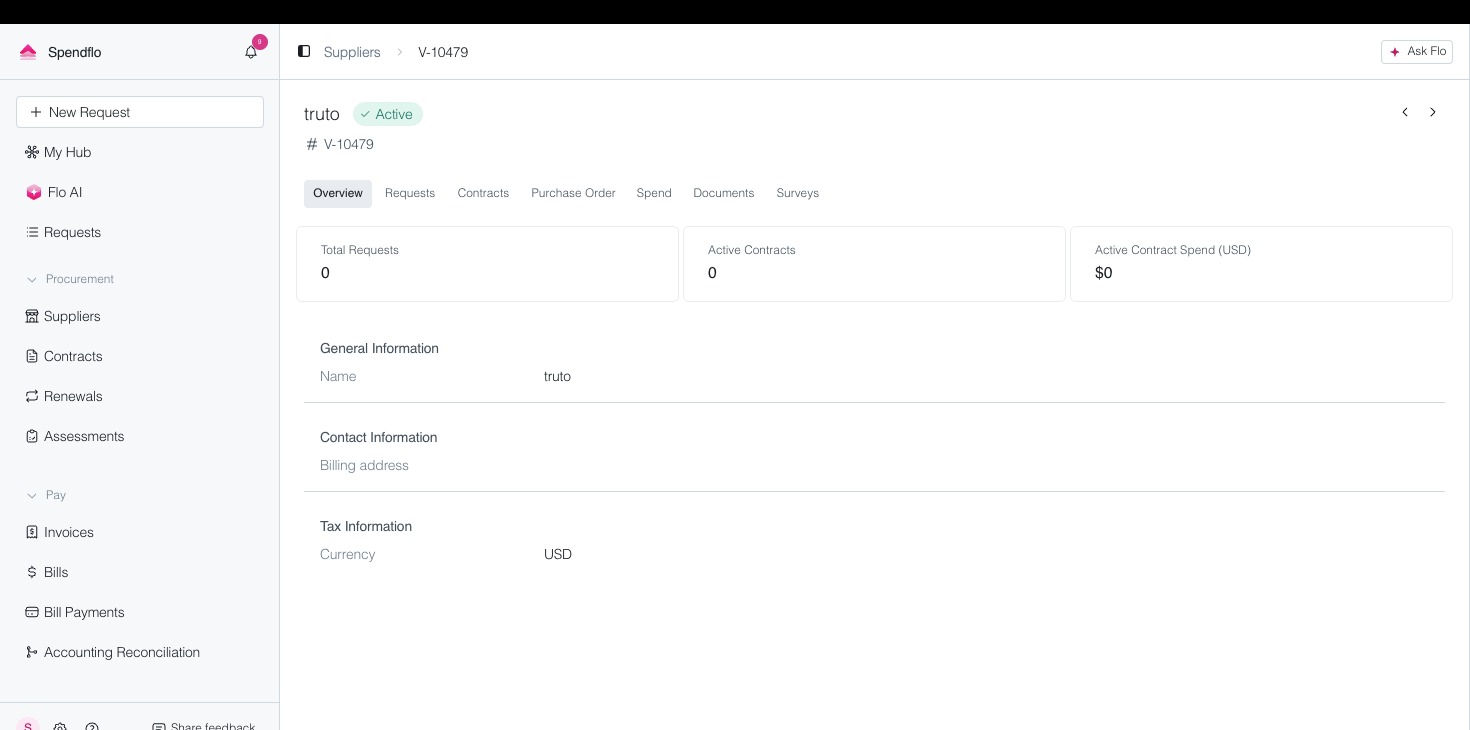
- Click on the vendor name from the Vendor Listing to open its Vendor Detail page.
- On the Vendor Detail page, look for the action menu (three-dot menu or kebab icon) at the top right of the vendor card.
- Click the menu and select "Archive Vendor".
- A confirmation dialog will appear. Click "Confirm" to archive the vendor.
⚠️ Note: Archived vendors do not appear in the active vendor list by default. To view them, toggle the "Show Archived" filter in Vendor Listing.
Part 3: Merging Duplicate Vendors
The Merge workflow combines two vendor records into one. All contracts, spend data, and documents from the source vendor are consolidated under the target vendor.
- From the Vendor Listing, open the vendor record you want to keep (the primary/target vendor).
- Click the action menu and select "Merge Vendor".
- In the merge dialog, search for and select the source (duplicate) vendor to merge into the current record.
- Review the data to be merged (contracts, spend, contacts). Click "Confirm Merge".
⚠️ Note: This action cannot be undone. Ensure you have selected the correct source and target vendors before confirming.
Quick Reference
Archive: Hides an inactive vendor from the active list. Data is preserved. Use when a vendor relationship ends.
Merge: Combines two vendor records. All data from the duplicate is moved to the target vendor. Use when the same vendor was added multiple times.
Was this article helpful?
That’s Great!
Thank you for your feedback
Sorry! We couldn't be helpful
Thank you for your feedback
Feedback sent
We appreciate your effort and will try to fix the article