Overview
In Spendflo, rejections can happen at two levels: at the task level (rejecting a specific approval step within a request) or at the request level (cancelling the entire request). Understanding the difference helps you take the right action and communicate correctly with your team.
Use this guide when:
- An approver needs to reject a specific task within a request without ending the entire workflow.
- A requestor or admin needs to cancel a request entirely.
- You want to understand the downstream effects of each rejection type.
Task-Level Rejection
A task-level rejection occurs when an approver rejects their specific approval step within an active request. The request is not cancelled — instead, it may be sent back for revision or routed to the next step, depending on the workflow configuration.
How to reject a task:
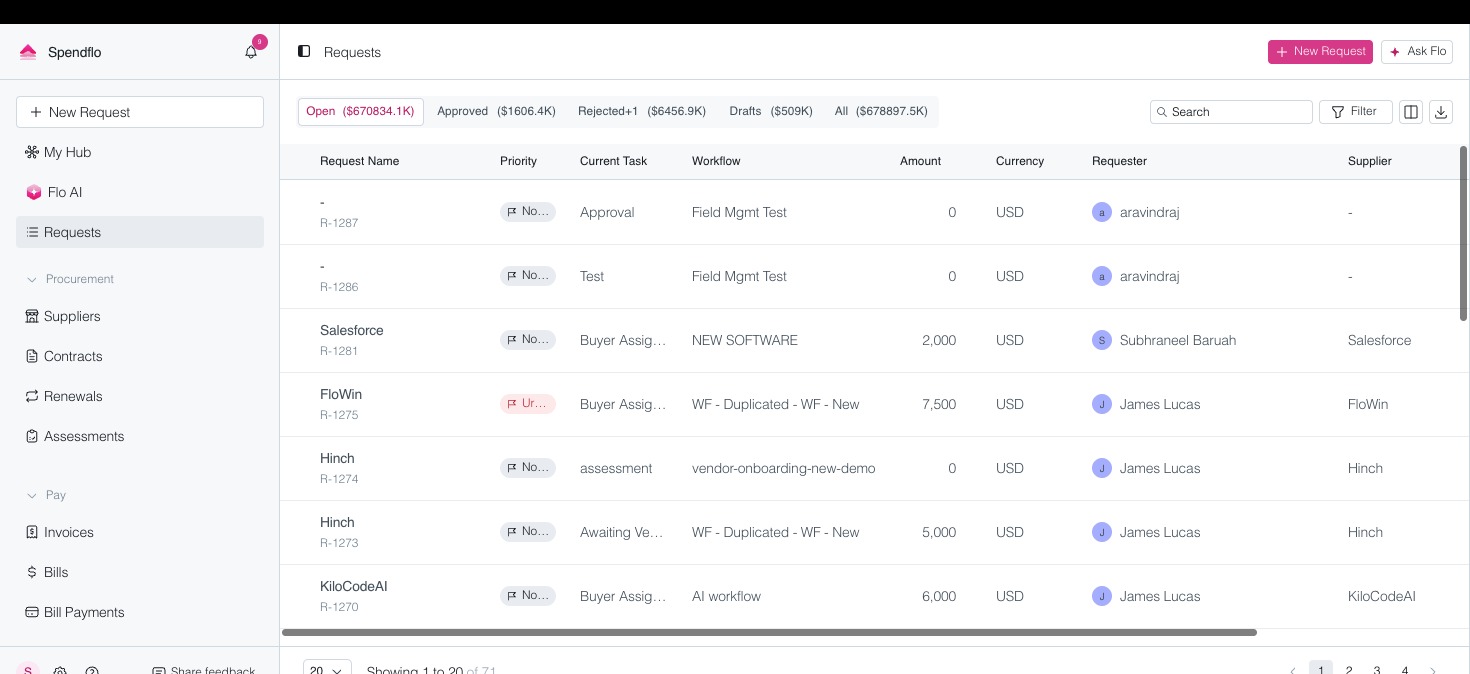
- Open the request from the Requests list or your notifications.
- Navigate to the task assigned to you for approval.
- Click Reject on the task and provide a reason if prompted.
- The rejection reason is recorded and may trigger a revision loop or escalation based on workflow rules.
Request-Level Rejection (Cancellation)
A request-level rejection means cancelling the entire request. This is typically done by the requestor, a manager, or an admin when the need for the request no longer exists.
How to cancel a request:
- From the Requests list, locate and open the request you want to cancel.
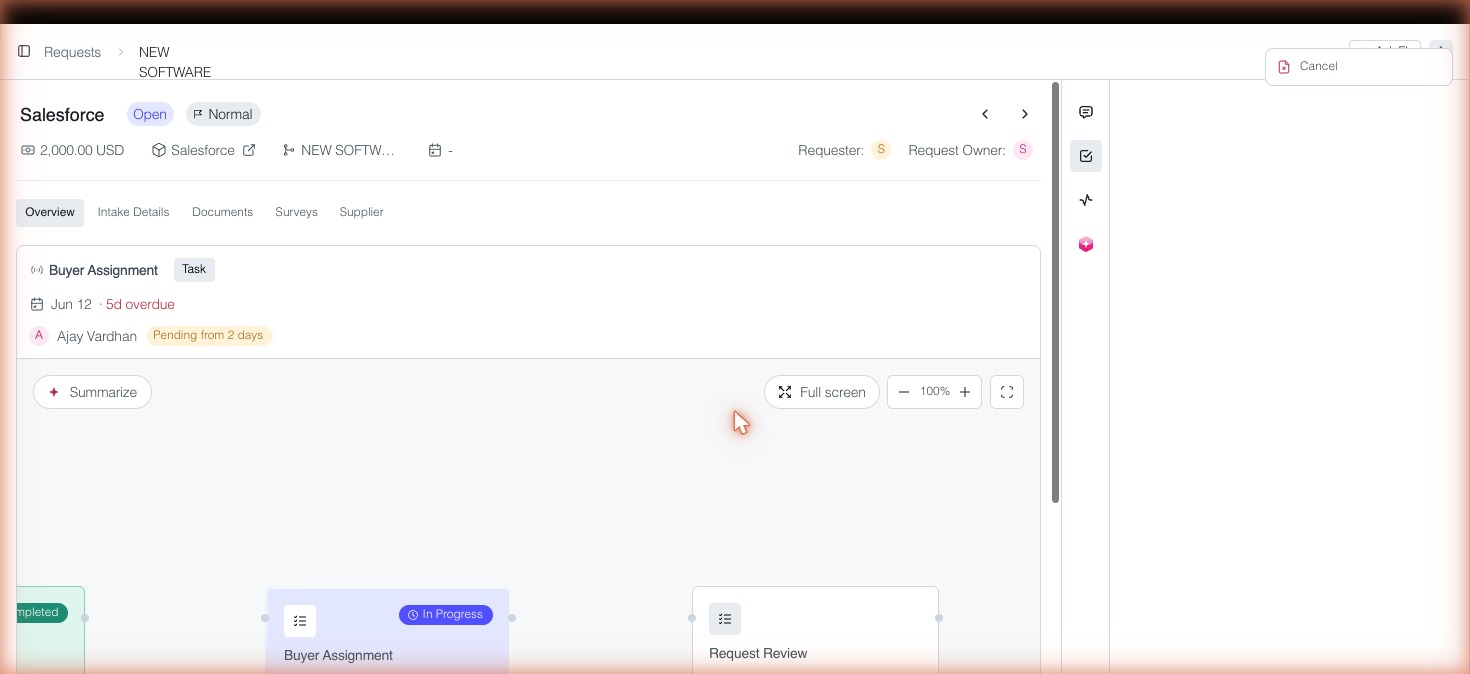
- On the request detail page, click the actions menu (the three-dot or kebab menu, or the Cancel Request option if visible).
- Select Cancel and confirm the action.
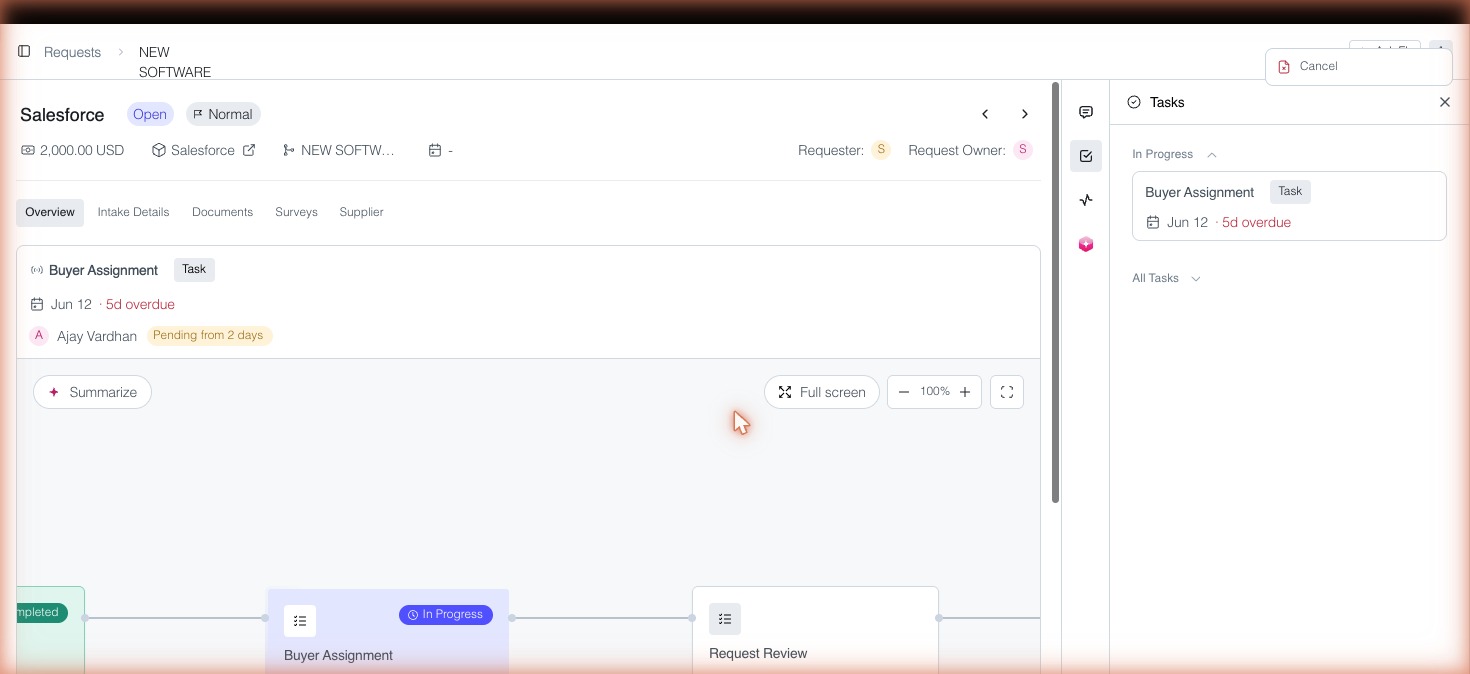
- The request status changes to Cancelled and all pending tasks within the request are closed.
Key Differences
Task-Level Rejection: Only the specific task is rejected. The request continues in the workflow. Used by approvers.
Request-Level Rejection: The entire request is cancelled. All tasks are closed. Used by requestors or admins.
Quick Reference
Who can reject a task: The assigned approver for that task.
Who can cancel a request: The requestor, their manager, or an admin.
Effect on workflow: Task rejection may loop back; request cancellation ends the workflow entirely.
Was this article helpful?
That’s Great!
Thank you for your feedback
Sorry! We couldn't be helpful
Thank you for your feedback
Feedback sent
We appreciate your effort and will try to fix the article