Overview
Spendflo’s integration with Ironclad streamlines the contract management process by allowing you to launch draft contract workflows in Ironclad directly from your procurement workflows in Spendflo. This connection ensures that contract creation and management are seamlessly integrated into your existing procurement processes, providing better visibility and control.
Pre-requisites
- Administrator role is required for both Spendflo and Ironclad to set up the integration.
Features
- Launch a draft contract workflow in Ironclad directly from a Spendflo task.
Here are the steps to install the Ironclad integration:
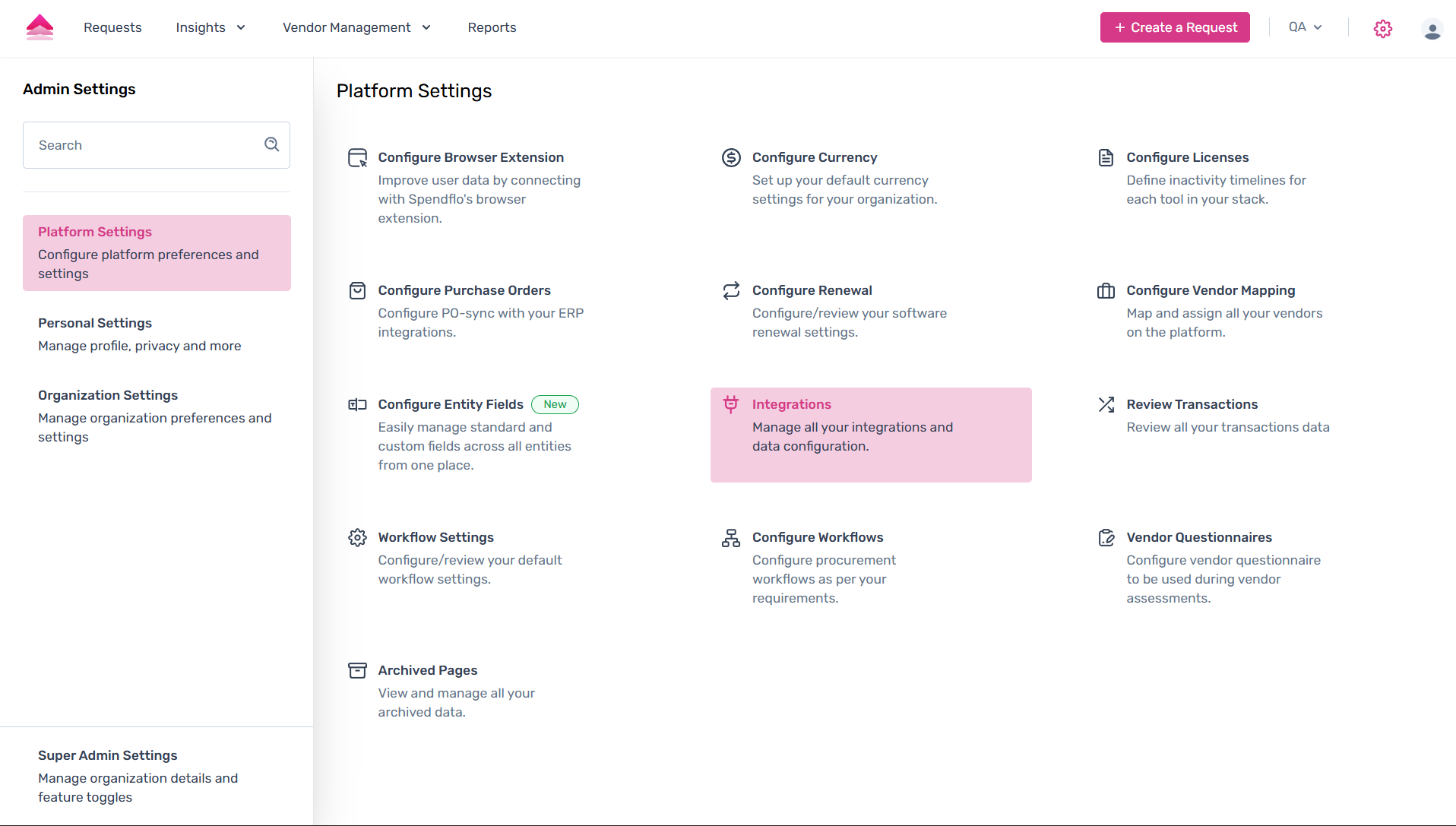
Go to Settings by clicking the settings icon in the top-right corner, then navigate to Integrations in the left-hand menu.
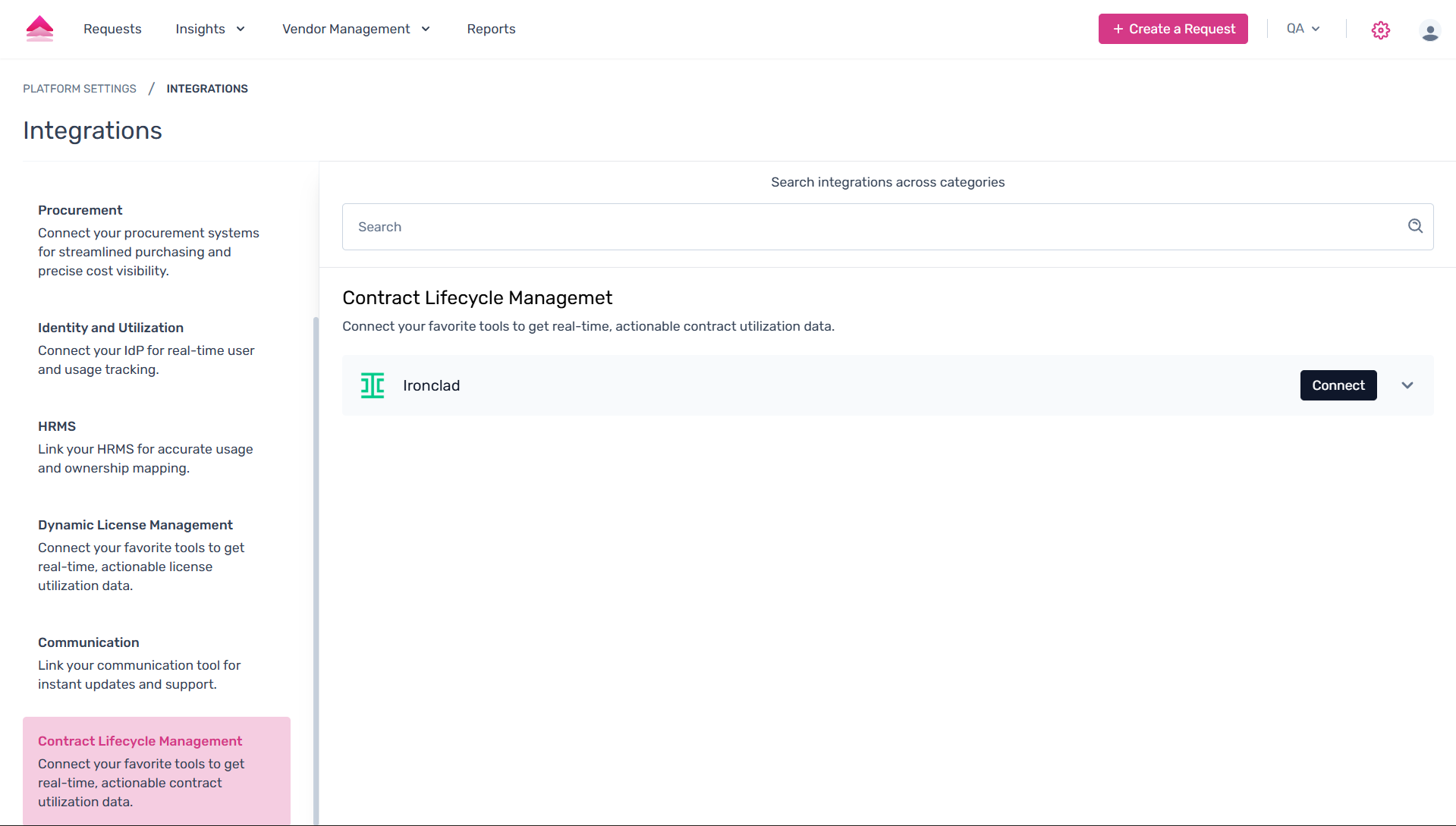
- Select the Contract Lifecycle Management tab to view all CLM applications that can be connected to your Spendflo account.
Find Ironclad in the list and click the Connect button.
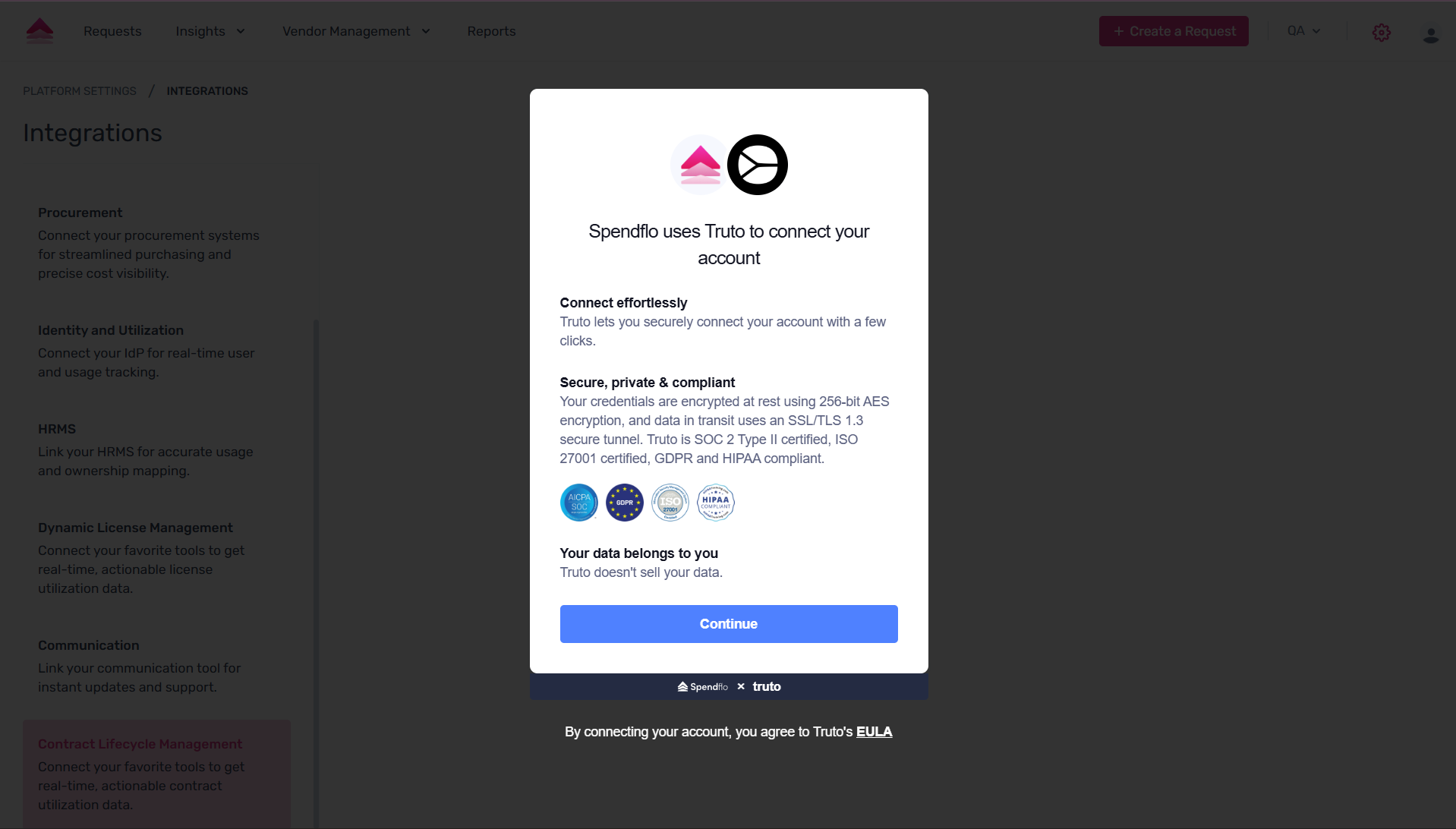
You will be redirected to a secure connection service. Click Continue to proceed with the authorization.
- On the next screen, click Connect to link your Ironclad account. You may be prompted to log in to Ironclad to grant access.
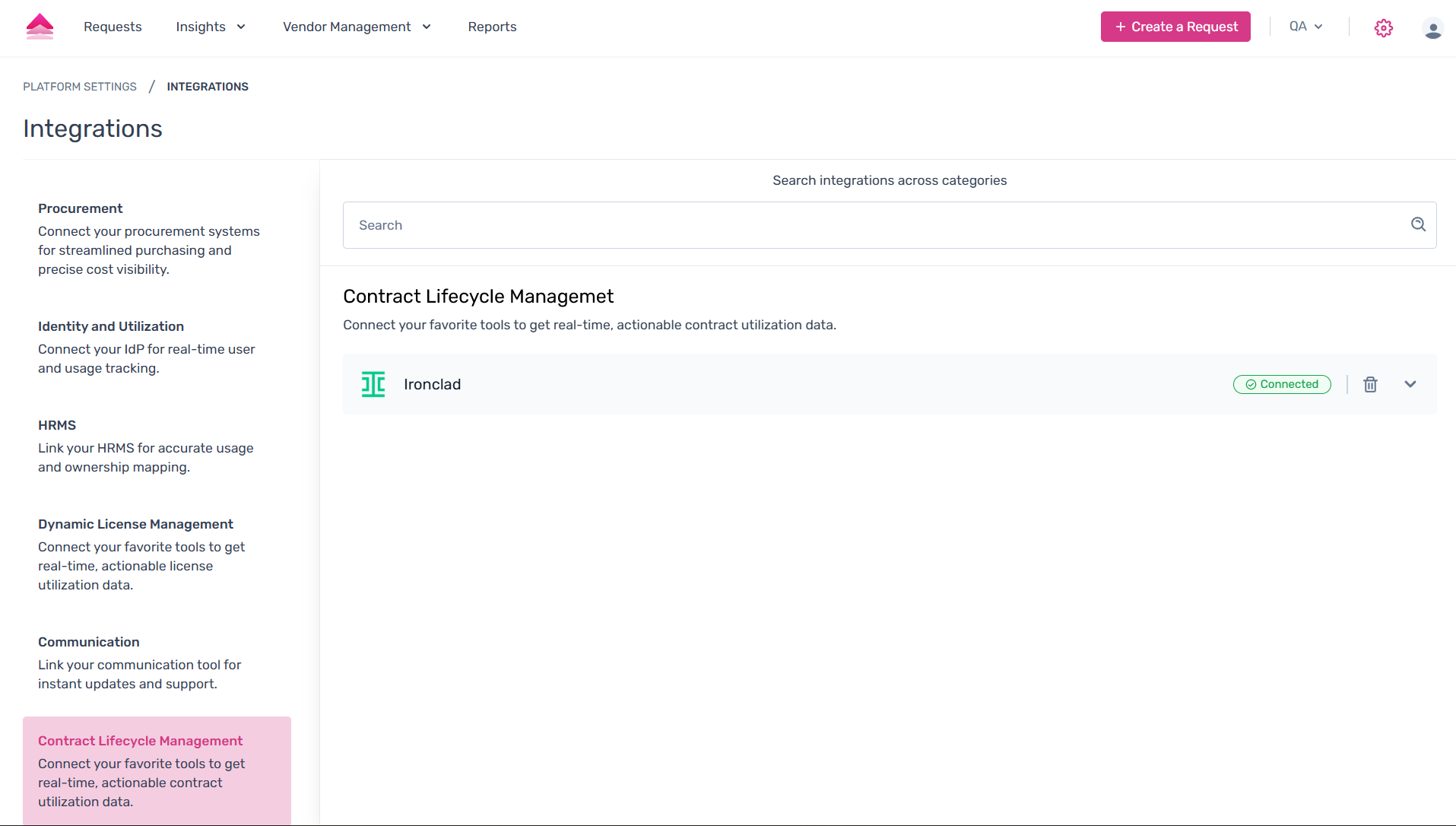
After a successful connection, you will return to Spendflo. Click Done to finalize the setup.
Important Note:
Conditional questions in Ironclad are currently not supported when mapping fields from Spendflo. As a result, all conditional questions will appear as regular questions, and the configured conditions will not be applied.
Was this article helpful?
That’s Great!
Thank you for your feedback
Sorry! We couldn't be helpful
Thank you for your feedback
Feedback sent
We appreciate your effort and will try to fix the article