Overview
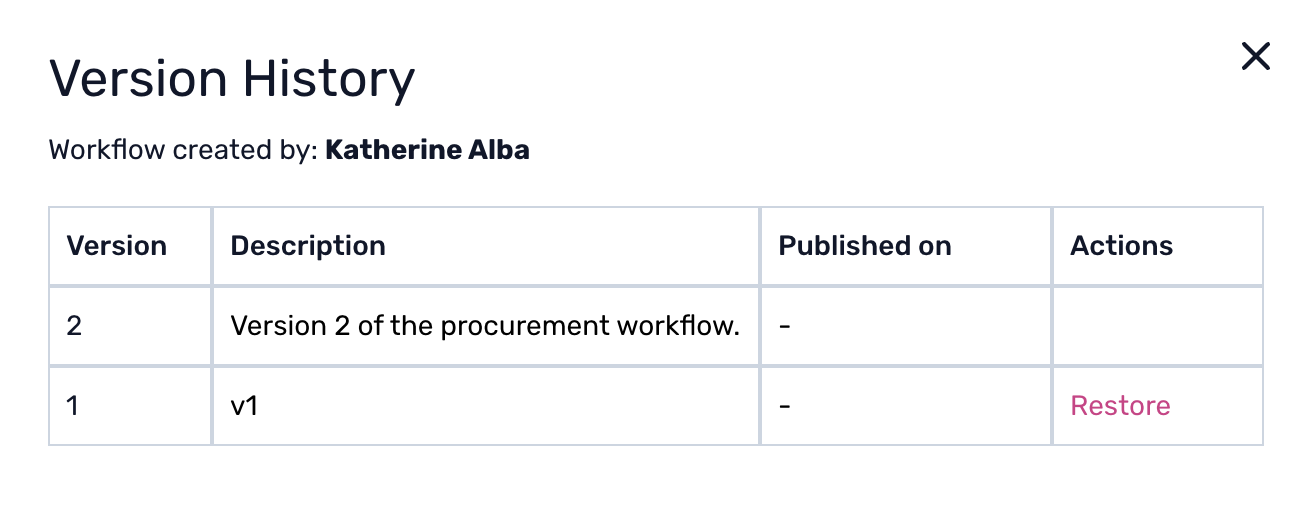
Workflow versioning is the standard practice of maintaining various versions of a workflow to track changes over time. Each version captures the state of the workflow at the point it was published, allowing administrators to view or revert to any earlier configuration. You can also add a custom description to each version to document why it was published.
Why is it useful?
Error Management: Versioning helps you identify mistakes and understand their scope. If something goes wrong, you can quickly restore the workflow to a previous state instead of rebuilding it from scratch.
Change Tracking: The system keeps a real-time record of all modifications, including who made changes and when. This makes it easy to trace the source of any issues introduced over time.
Compliance: All changes to workflows are documented, which is crucial for compliance and auditing purposes. If needed, you can restore a version that meets your regulatory requirements.
Restoring a Workflow
The restore function acts as an undo mechanism, allowing you to return a workflow to any previously published state. For step-by-step instructions on how to restore a workflow from version history, refer to the guide: How to restore a workflow from version history.
Was this article helpful?
That’s Great!
Thank you for your feedback
Sorry! We couldn't be helpful
Thank you for your feedback
Feedback sent
We appreciate your effort and will try to fix the article